
Why are customers who are not due for a service appearing in the Job Pool?
There may be a few reasons why customers who are not due for a service are appearing in the Job Pool:
The appointment is not attached to the subscription
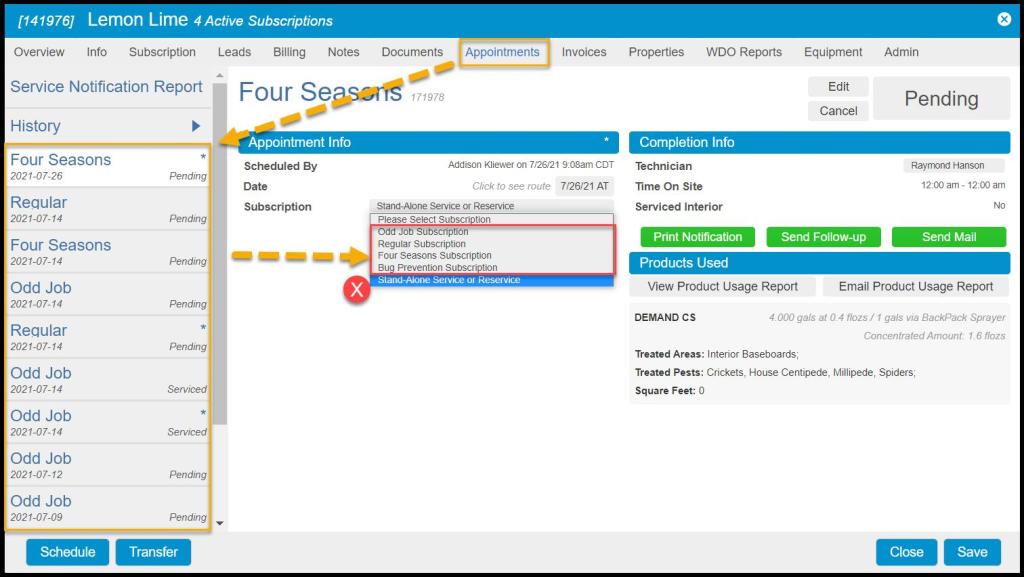
The customer’s appointment may not be attached to the subscription. This can be checked by going to the Customer Card > Appointments.
Click on the first appointment related to the subscription due for a service, and ensure the subscription is not a stand-alone service or reservice. If it is a stand-alone service, change it to the subscription that it should be attached to. This will fix the due date on the customer’s subscription.
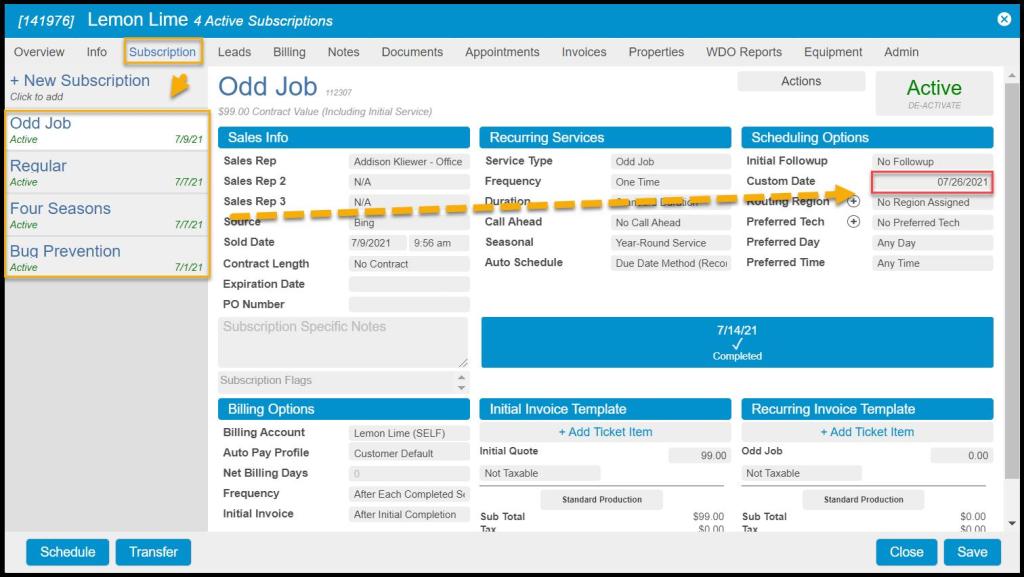
Custom Date Interfering
The customer might have a Custom Date set on their subscription in the customer card. This can be checked by going to the Customer Card > Subscriptions tab > Scheduling Options column to see if a custom date was selected that would interfere with the subscription’s frequency.
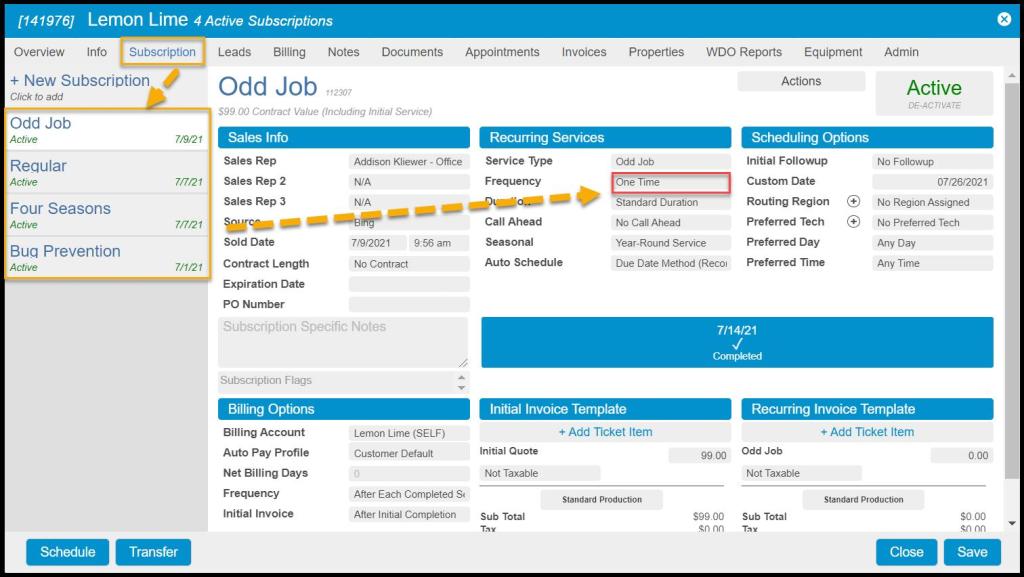
Incorrect Subscription
The customer’s subscription might be incorrect. This can be checked by going to the Customer Card > Subscriptions tab. Check the Frequency under the Recurring Services column and ensure it’s correct.
The customer’s pin on the map is not in the correct location
If the customer’s pin is not in the correct location on the map in the software or in the mobile applications:
- This can be checked by going to the Customer Card > Info tab. Re-enter the customer’s address and zip code. This may refresh the pin on the map and place it in the correct location.
- If the pin is still in the wrong location, search the address in Google Maps and ensure the address is formatted exactly how Google recognizes it.
- If it still doesn’t place the customer pin in the correct location, it can be dragged and dropped to the correct location. This drag and drop action may need to be done if the customer is on a newly developed property that Google does not recognize yet.

 Moxie Pest Control Office Guide