
Task Categories
Summary
Task Categories are used to organize tasks under the Tasks bar. Task Categories can also be applied when using certain Appointment Status, Customer Status, Subscription Status, and Subscription Due for Service trigger rules.
Important Points:
- Task Categories cannot be deleted once created. They can only be hidden.
- Tasks created via trigger rules with no category selected will be Unassigned.
- (FieldRoutes Payments Only) When a chargeback/dispute is received from a card transaction or an ACH return is received from an ACH transaction, a task (Chargebacks or ACH Returns) will be generated to alert the user of the payment status so they can reach out to their customers.
Accessing the Task Category in Preferences
To access Task Categories, go to:
Admin > Preferences > Office Settings > Task Categories.

Filtering the Task Categories in Preferences
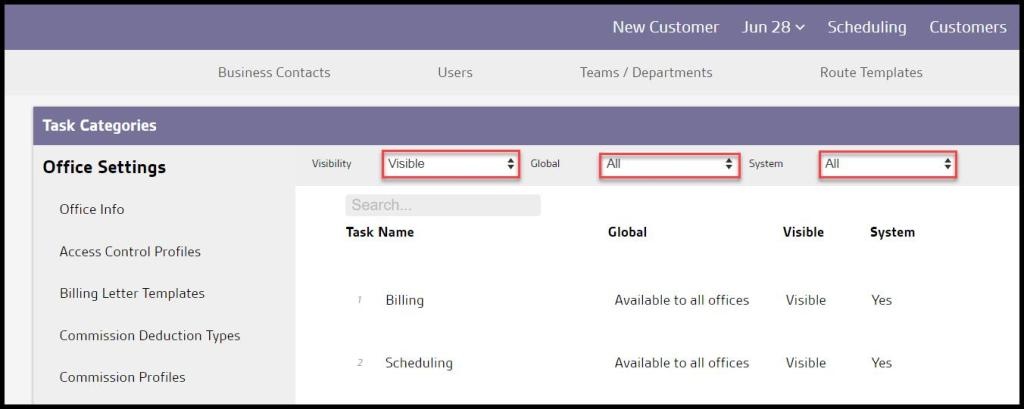
To filter the Task Categories, toggle these filters.
- Visibility
- All: Show all Task Categories.
- Visible: Show only visible Task Categories.
- Hidden: Show only hidden Task Categories.
- Global
- All: Display all Task Categories
- Specific to Office: Display only Task Categories flagged to be specific to the user’s office.
- Available to all offices: Display only Task Categories flagged as available to all offices.
- System
- All: Display All Task Categories.
- Yes: Display only Task Categories that are system Task Categories.
- No: Display only Task Categories that are not system Task Categories.
The Task Categories will refresh after different filters are selected.
Adding a new Task Category in Preferences
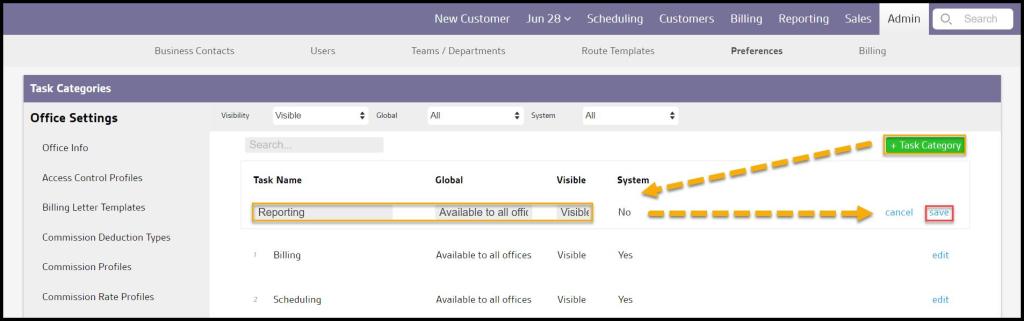
To add a new Task Category, select + Task Category or edit to make changes to an existing Task Category.
- Task Name: Name the category of the Task.
- Global: Determine if the Task Category will be shown to specific or all offices.
- Visible: Hide or show Task Categories. Task Categories cannot be deleted, only hidden from being selected.
- System: Shows if the Task Category is system created or if a user created the Task Category.
Select Save when finished editing the Task Category.
Where are Task Categories Used?
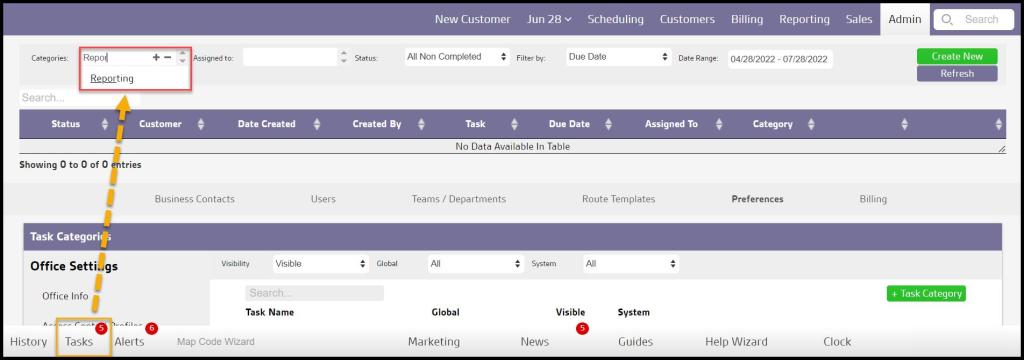
Task Categories are used to sort and order tasks in the Tasks tab. To learn more about tasks, see the Tasks guide.
Applying Task Categories to Certain Trigger Rules
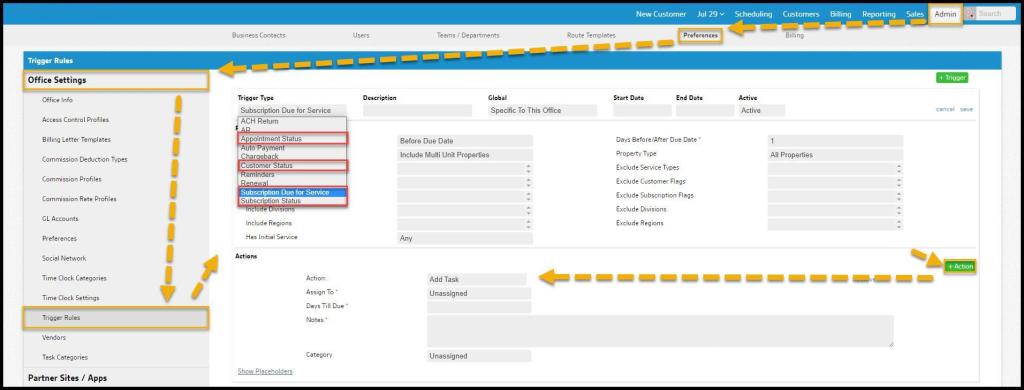
Additionally, Task categories can be assigned to certain Appointment Statuses, Customer Statuses, Subscription Statuses, and Subscription Due for Service trigger rules. See the trigger rules user guide to learn more about applying task categories to certain trigger rules.
 Moxie Pest Control Office Guide