
Reservice vs Regular Service
Summary
When scheduling a customer, the user will first need to decide if the service that is being scheduled is part of their maintenance plan or if this will be an additional service (Reservice) that should not be attached to the Subscription.
Regular services will change the schedule on their Subscription tab and are usually paid services. Reservices are typically free warranty services in between the regularly scheduled visits.
Important Points:
- Decide if the appointment that is being scheduled should apply to the customer’s Subscription or be a Stand-Alone Service or Reservice.
- When scheduling the appointment make sure to change it to the appropriate Service Type.
- Once a Service Type marked as a Reservice (Is this a Reservice = Yes) has been used for any appointment, this setting cannot be reversed.
Creating a Reservice-specific Service Type
To best use the system automation, create Service Types specifically for reservice situations (i.e. a return trip due to unsolved issues or incomplete service that does not generate charges or an invoice).
For example, create similar services to the regular Service Types offered but include Reservice in the name:
- Quarterly Pest Reservice
- Mosquito Reservice
- Rodent Control Reservice
When creating these special Service Types, use the option:
Service Types > Scheduling > Is this a reservice
and mark it as Yes.
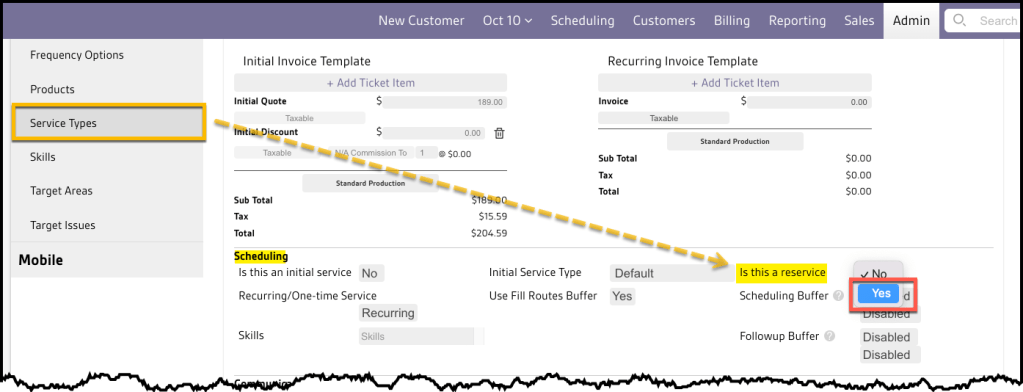
Warning:
Once a Service Type is marked as a Reservice in this way, and used on any customer appointment, it cannot be switched back to regular service.
Scheduling a Reservice
If a customer requests an additional service between regular recurring appointments, schedule them as a Reservice.
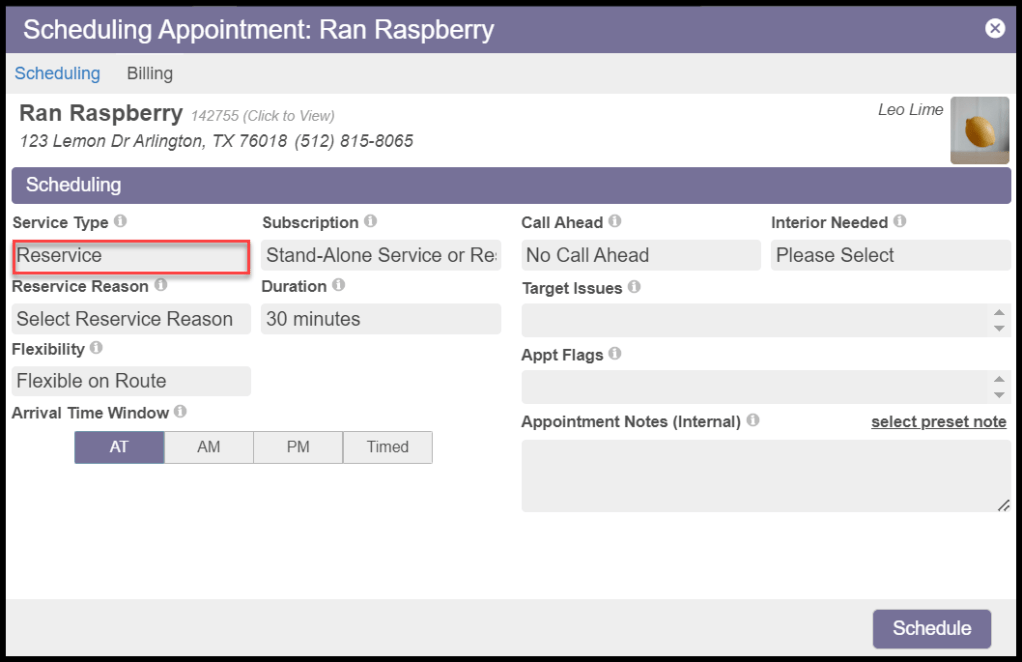
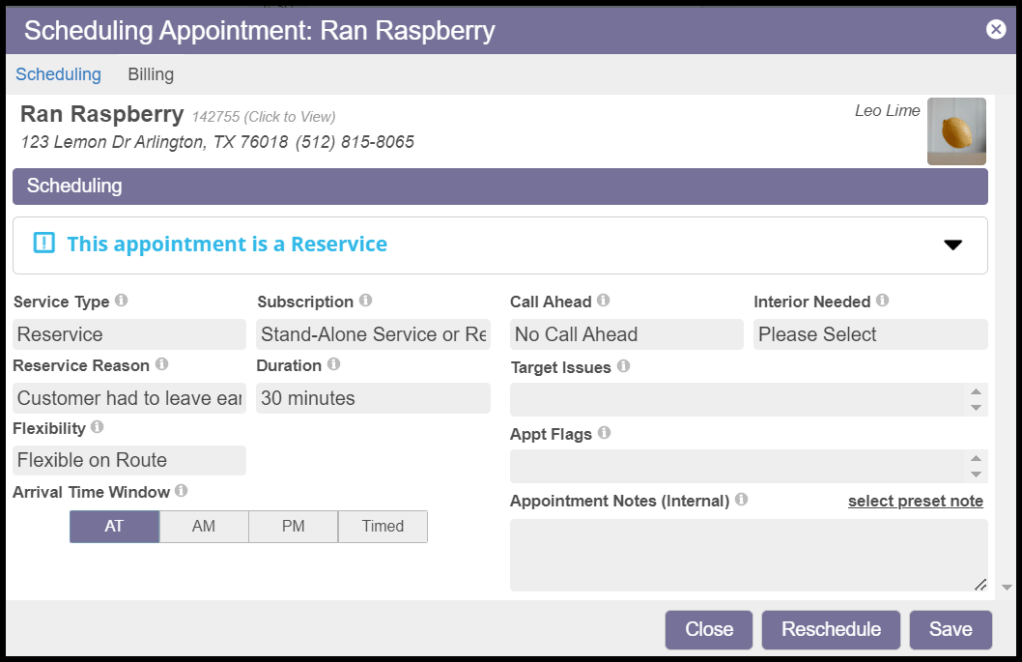
Click on Schedule from the Customer Card and choose a route to add the appointment. Then an Appointment Window will open up. Choose Reservice for the Service Type.
Subscription for Reservice
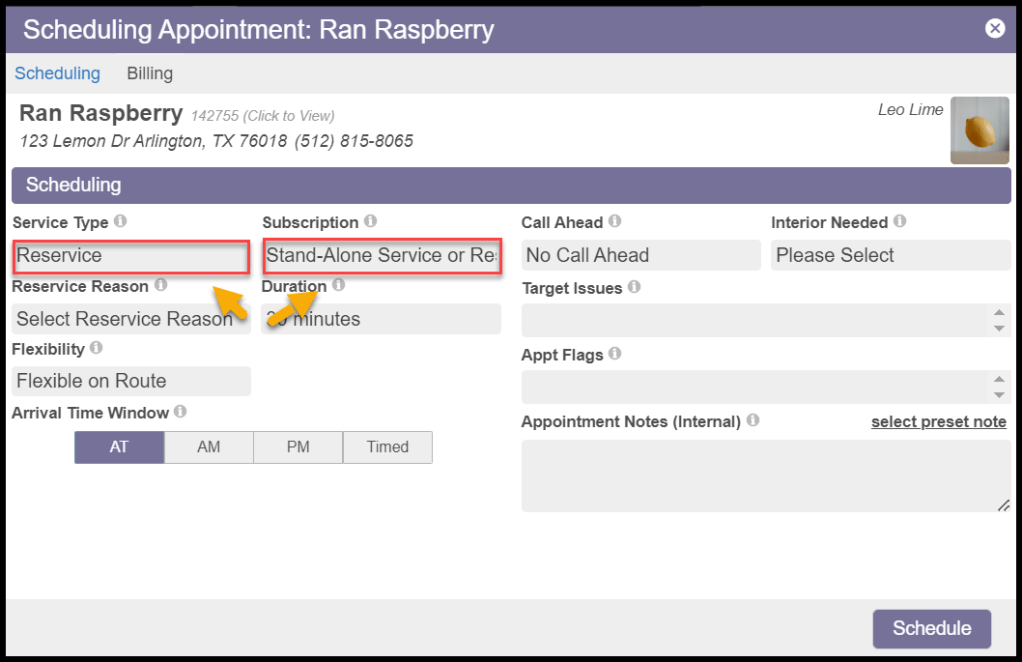
The Subscription field should auto-populate to Stand-Alone Service or Reservice.
NOTE:
If it does not automatically change, manually change the subscription field from the drop-down. This option ensures that the customer’s regularly scheduled maintenance services will not be affected.
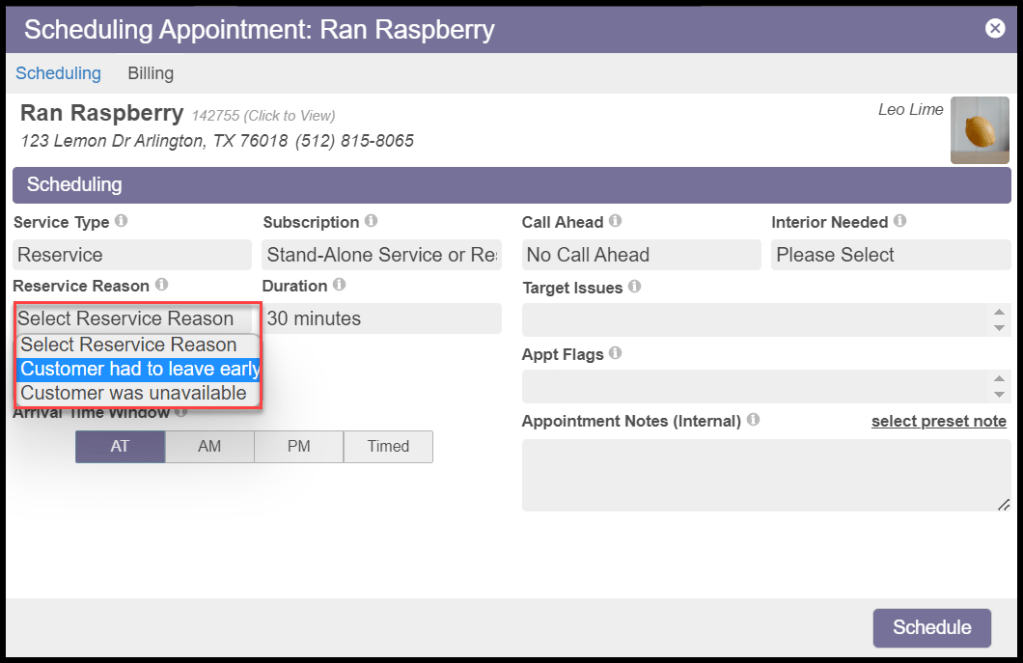
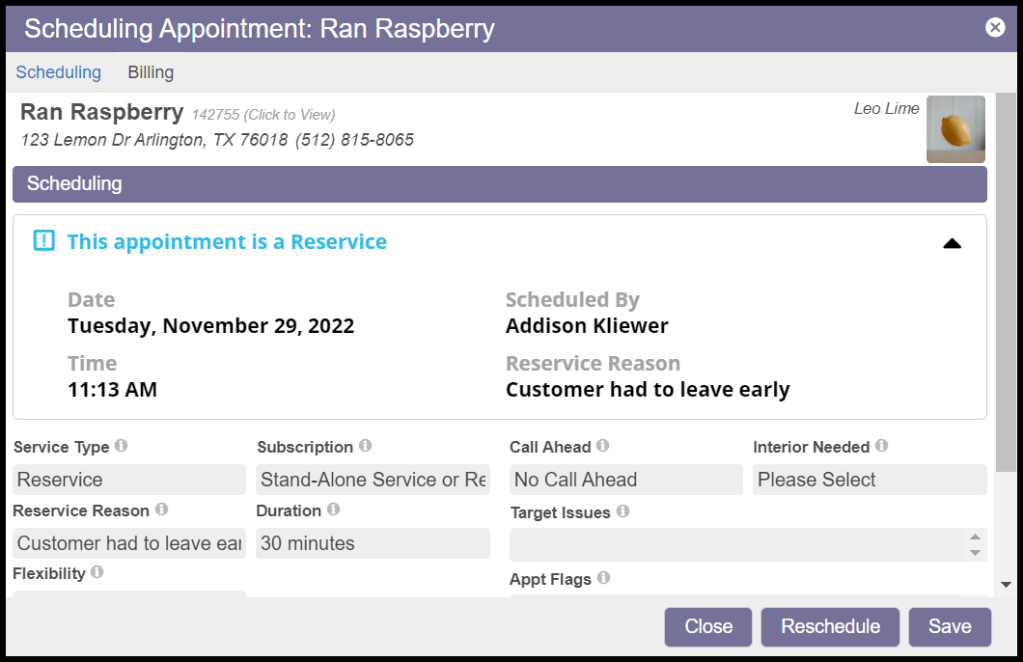
The Appointment card will populate with the Reservice Reasons, if available.
After saving the appointment details, the user can see the reservation reason by hovering over the appointment.
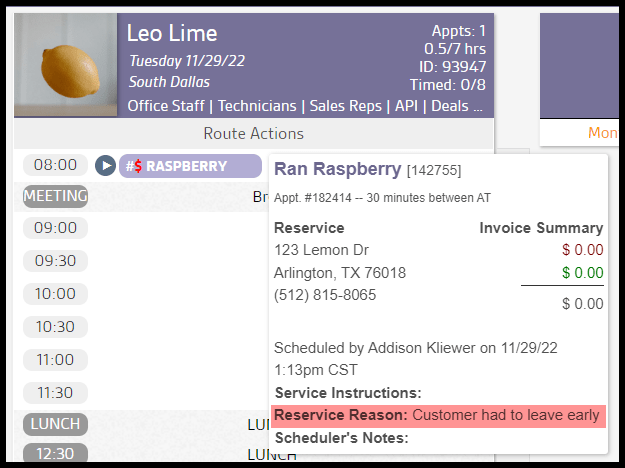
The appointment card will display a drop-down notification showing the details of the reservice.
Returning to a Regular Service
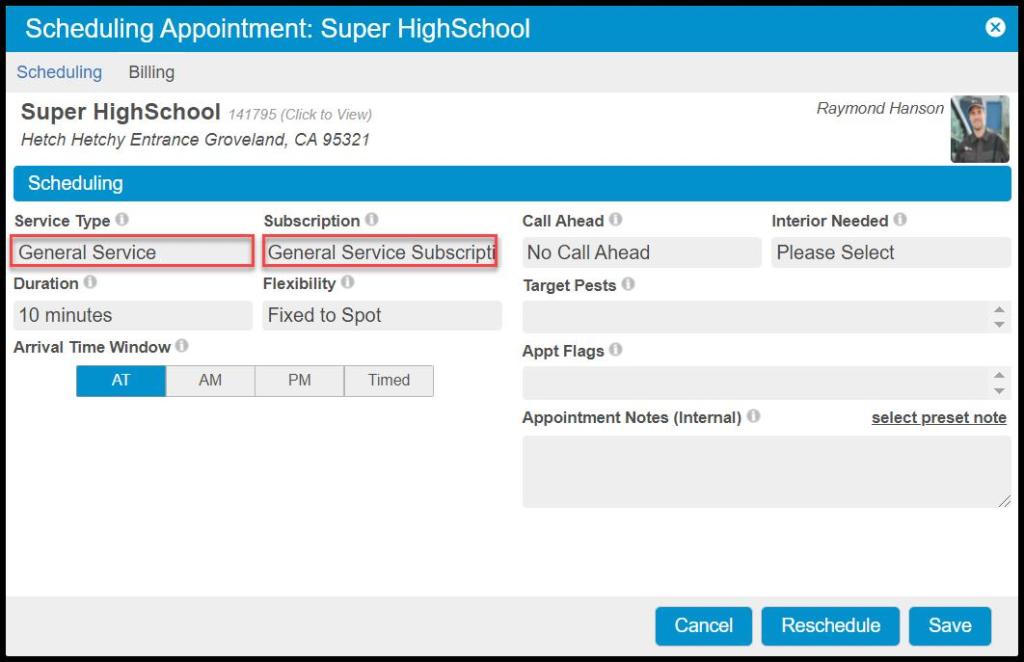
When scheduling an appointment for the customer’s regular service, ensure it is connected to the customer’s regular Subscription in the Subscription field. Make sure the Subscription field no longer contains Stand-Alone Service or Reservice but is populated with the appropriate subscription name for that customer.
 Moxie Pest Control Office Guide