
Recommended Renewal Configurations
Summary
Users have a variety of ways to sets up their renewal process. Accordingly, our approach to renewals provides flexibility to accommodate as many of these potential setups as possible. Below, several scenarios have been mapped out to illustrate how to arrange the renewal options to meet various requirements.
Important Points:
- See “Renewal Subscriptions” for a full description of how to set up renewals for customers.
Non-Recurring Billing
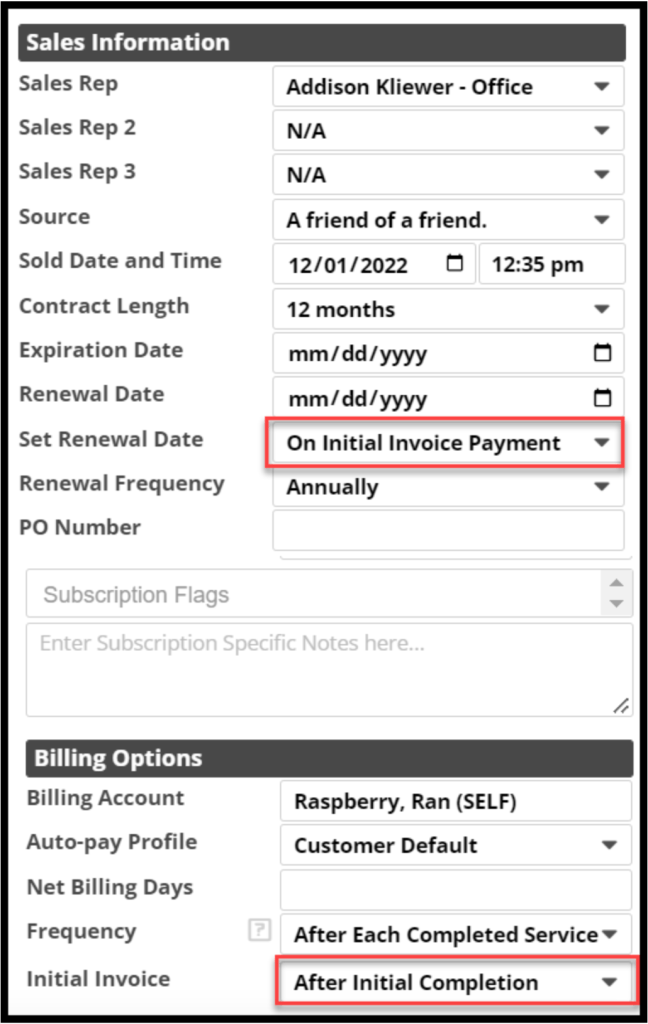
- Scenario: Initial payment is accepted at the time of initial service, which is also when the warranty starts.
- Set Renewal Date: On Initial Invoice Payment
- Initial Invoice: After Initial Completion
- For companies that accept payment at the time of installation or pretreatment. This includes those that take partial payment upfront and the final payment for the initial at the installation.
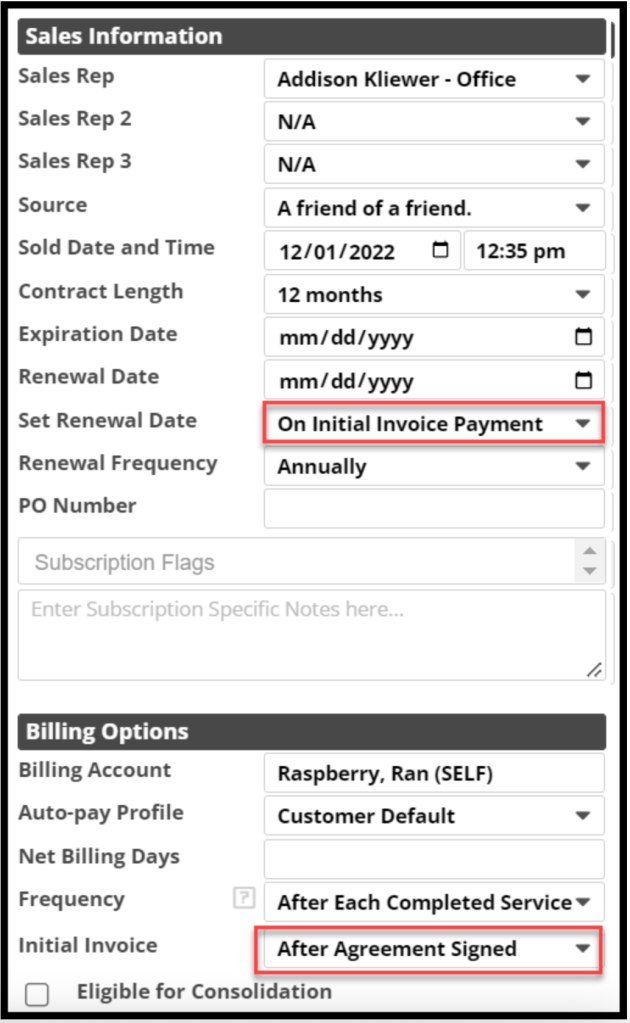
- Scenario: Warranty starts when full initial payment is made, and an invoice is available to apply payment to (avoiding a prepayment scenario).
- Set Renewal Date: On Initial Invoice Payment
- Initial Invoice: After Agreement Signed
- For companies that collect payment before the installation or pretreatment; some payments could be split. Recommend no split payments since this could delay the intended Renewal Date. Split payments are allowed, and the Renewal Date can always be manually adjusted.
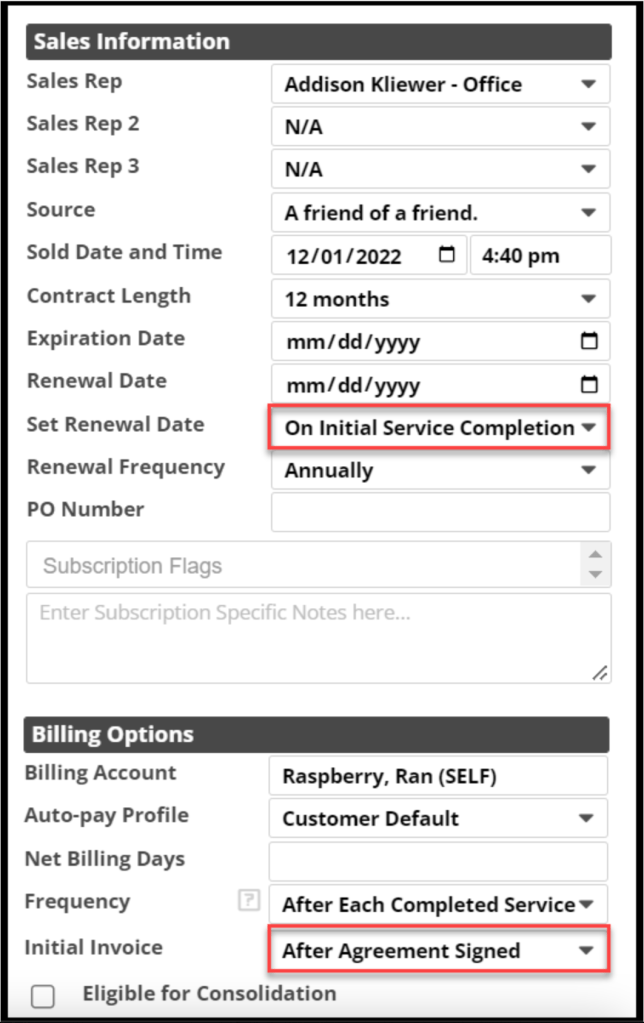
- Scenario: Split payments for the initial invoice.
- Set Renewal Date: On Initial Service Completion
- Initial Invoice: After Agreement Signed
- For companies that accept split payments, such as at agreement signing and then again at service completion.
- Invoice is generated at the time the Subscription Agreement is signed. Payments would apply to the invoice that was generated at signing, but the Renewal Date will be set later after initial service completion. A zero-dollar invoice will be generated at the initial service. Zero-dollar invoices are not sent to customers but will be in the Customer Portal.
Includes Recurring Billing
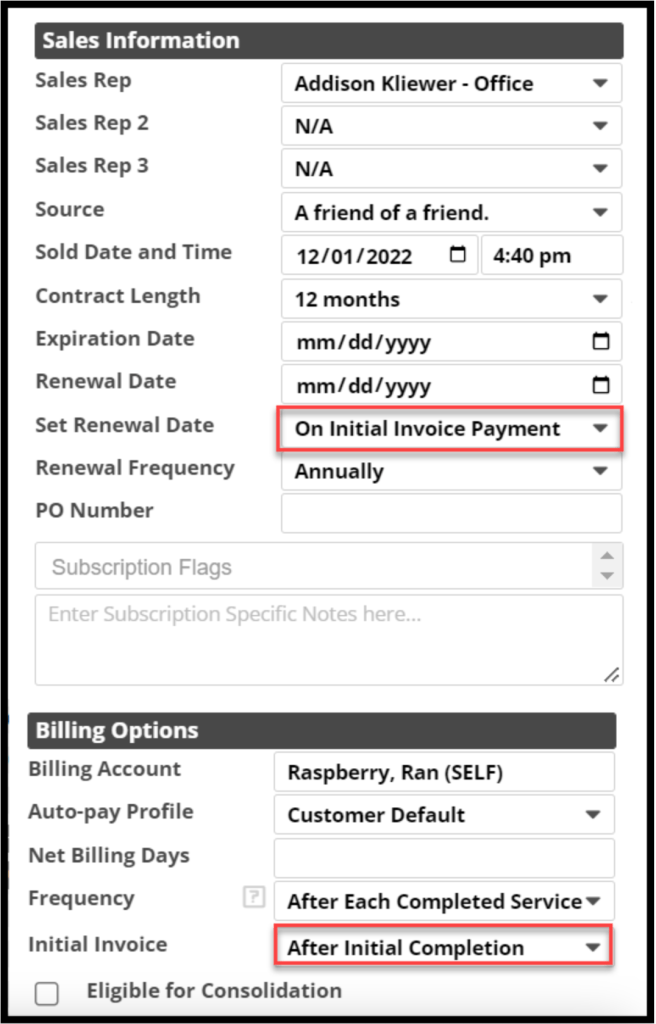
- Scenario: One-time payment for initial and monthly payments in advance of renewal
- Set Renewal Date: On Initial Invoice Payment
- Initial Invoice: After Initial Completion
- Use the Billing Options for the Subscription in the Customer Card. Set the Frequency of the recurring billing. The amount provided in the Recurring Invoice Template is the amount to be charged.
NOTE:
Sentricon customer subscriptions should use On Initial Service Completion for the Renewal Date setting, so the SAD date is set properly.
- Scenario: Initial payment and subsequent renewals are billed in arrears
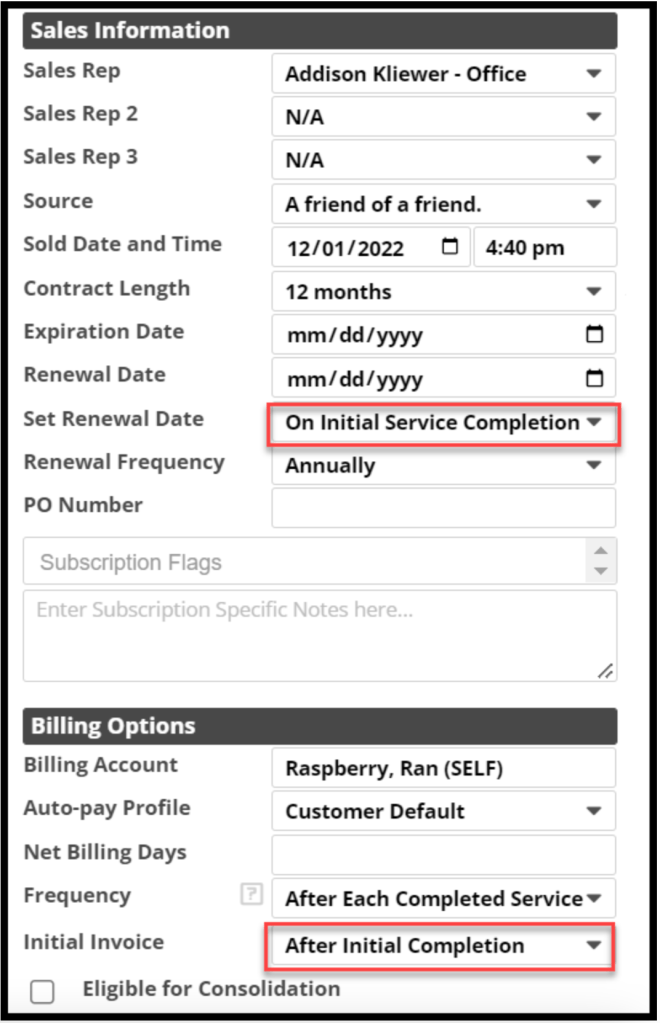
- Set Renewal Date: On Initial Service Completion
- Initial Invoice: After Initial Completion
- To set up billing in arrears, when setting up the Subscription, in the Frequency field of the Billing Options, select Custom Schedule.
NOTE:
Do not use On Initial Payment Date with monthly billing in arrears, or the warranty start date and subsequent renewal dates will be potentially a year late.
Subscriptions that Auto-Renew
For subscriptions that auto-renew, use the Expiration Date for the Service Type, not the Renewal Date.
NOTE:
Some companies charge a high initial quote to reduce their monthly price to make the monthly billing look cheaper to their customers. Using Renewals is not recommended if the company wants to include the initial quote again, which is not included in a renewal service. Set the subscription expiring date, and check the Customer Report to check for upcoming expiring subscriptions, or create a task to check the expiring customer with the customer name and due date.
 Moxie Pest Control Office Guide