
Prepayment Funds Recognition
Summary
This article explains how Prepayment funds are recognized when an offer is accepted and a customer makes their payment. When a Prepayment is accepted, it differs from a post-payment in that the exchange of your service for the funds is still in the future. According to some accounting principles, revenue is not considered in your books until the service has been performed and an invoice is generated. The principles provided in this guide are just for reference, and it is advised that you consult with your accountant to correctly categorize your funds in your general ledger.
Important Points:
- Prepayments are often accounted for differently than payments collected after services have been performed.
- An invoice is not created for service rounds until the round is completed.
- For customers who use the default After Each Completed Service billing frequency, the cost of a completed round is automatically deducted from the Prepayment remaining value and applied to the invoice that was created upon completion.
- For those customers who have changed their billing frequency, the Prepayment amount total is divided by the number of billing periods and is deducted on each scheduled bill date.
Note: The system now recognizes Prepayment funds differently than in the past.
Updates have been made to how revenue is recognized for Prepayments in FieldRoutes Ops Suite, effective June 21, 2023. If adjustments are required for Prepayment Offers that were created before the date above, please see the FAQ on Refunds and Reversals.
Accepting a Prepayment Offer
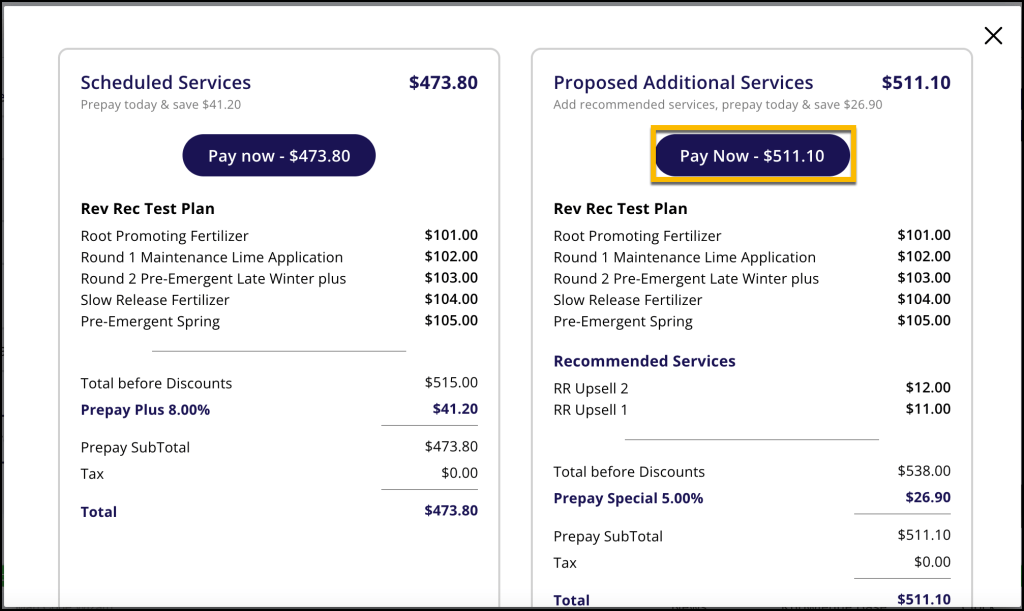
In the image below, a customer has two offers to choose from. To select the one that includes the Upsells, they click on the Pay Now button under Proposed Additional Services.
Recording Payment
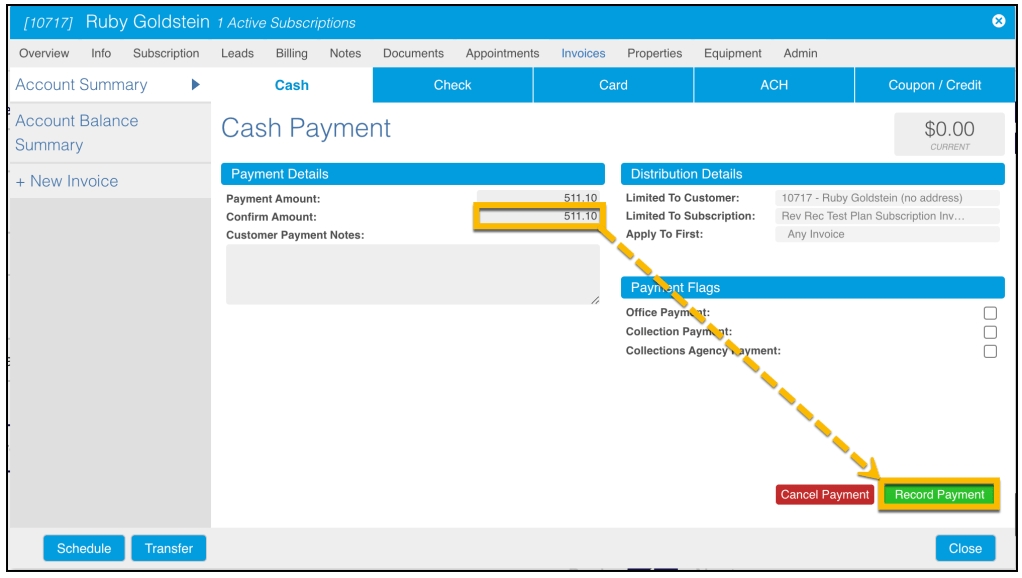
The next step is to pay for the Prepayment Offer. Enter the whole dollar amount of the offer in the Confirm Amount field and click Record Payment.
Reviewing the Payment in the Account Summary
All scenarios in this guide assume that the customer is set up to use the default After Each Completed Service billing frequency.
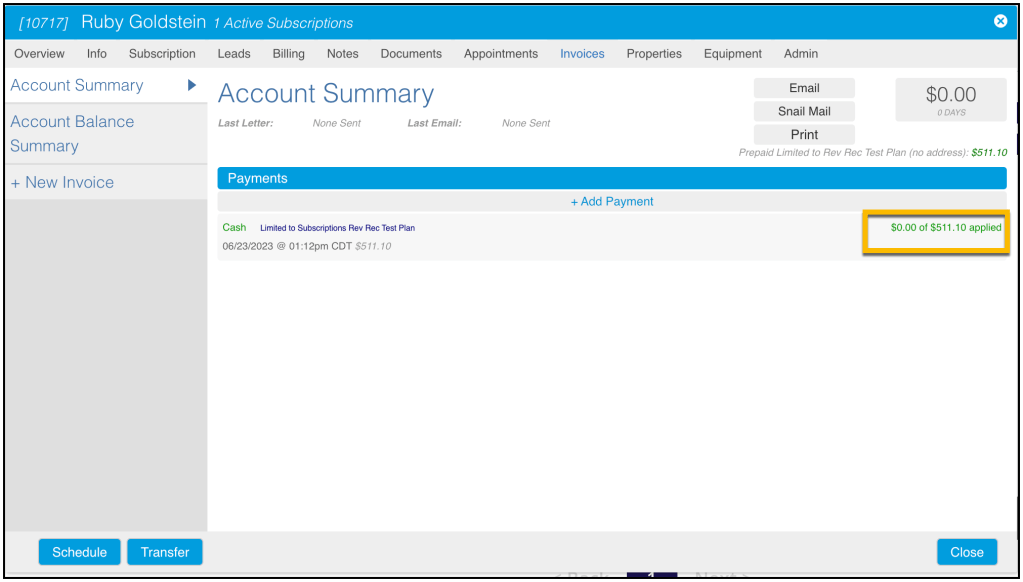
The Account Summary below shows the customer account immediately after payment was applied. On the right-hand side, it says $0.00 of $511.10 applied. Since service has yet to be performed, the funds are held at this time to be used towards future services included in the Prepayment Offer. Notice that there is no invoice in the left-hand side column.
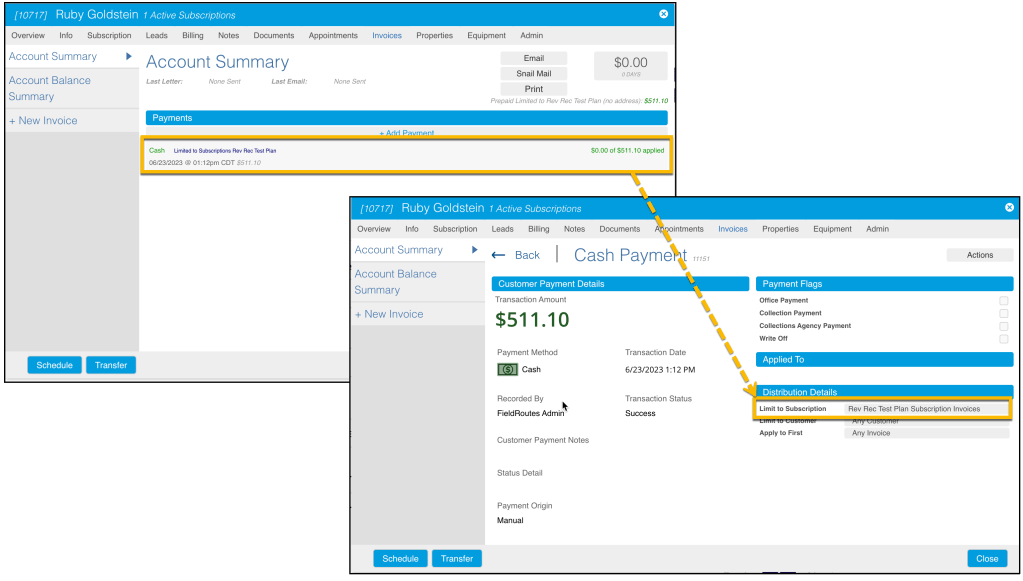
Clicking the cash payment line item will bring a user to the details of that payment. Under the Distribution Details section it shows that the payment is linked to the appropriate Prepayment with Upsell Offer.
Recognizing Funds
As mentioned before, the system does not necessarily recognize Prepayment funds as revenue until, at a minimum, a service is performed and an invoice is generated. Think, invoice = revenue.
Since most payments are not usually a form of prepayment, those work differently, and in most circumstances, when money is collected, it can be considered revenue. It is money received for an already exchanged service performed. With Prepayments, however, it will not consider monies collected as revenue since it is being prepaid for services in the future.
Consider the Prepayment to be held in a hypothetical bucket or folder until a service has been performed, upon which the money is deducted from the Prepayment value and applied to the invoice created when the service is completed. At the time of the first service, the money deducted is from the entire balance collected for the prepayment, and after each additional service is completed, the amount is deducted from the remaining balance.
Once again, the caveat is that it only works the way it is mentioned above for customers using the default billing frequency setting, After Each Completed Service. For those customers who have changed their billing frequency, the Prepayment amount total is divided by the number of billing periods and is deducted on each scheduled bill date.
Service is Completed
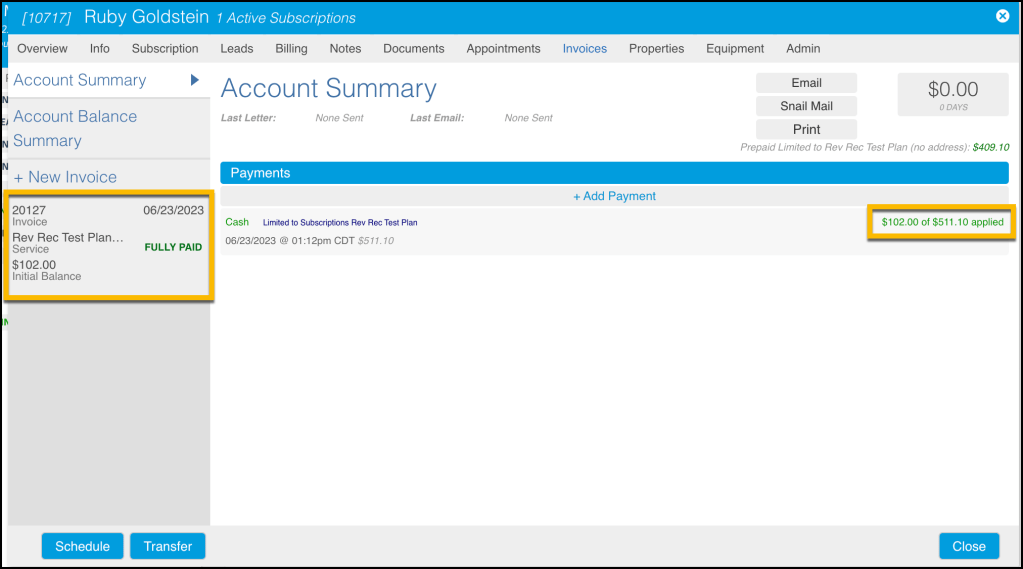
The screenshot below shows the account summary after the 1st Rd of service from the Prepayment was performed. Now that the service is complete, an invoice is autogenerated, with the cost of that Rd ($102.00) being applied to that invoice and marked Fully Paid. IS THIS WHERE IT WILL SHOW ON REPORTING?
Notice that the invoice on the left is attached to the correct Prepayment plan, and that the detail on the right of the screen says $102.00 of $511.10 applied. This means there is now $409.10 remaining in the hypothetical bucket/folder for future prepayment services.
Revenue is Recognized
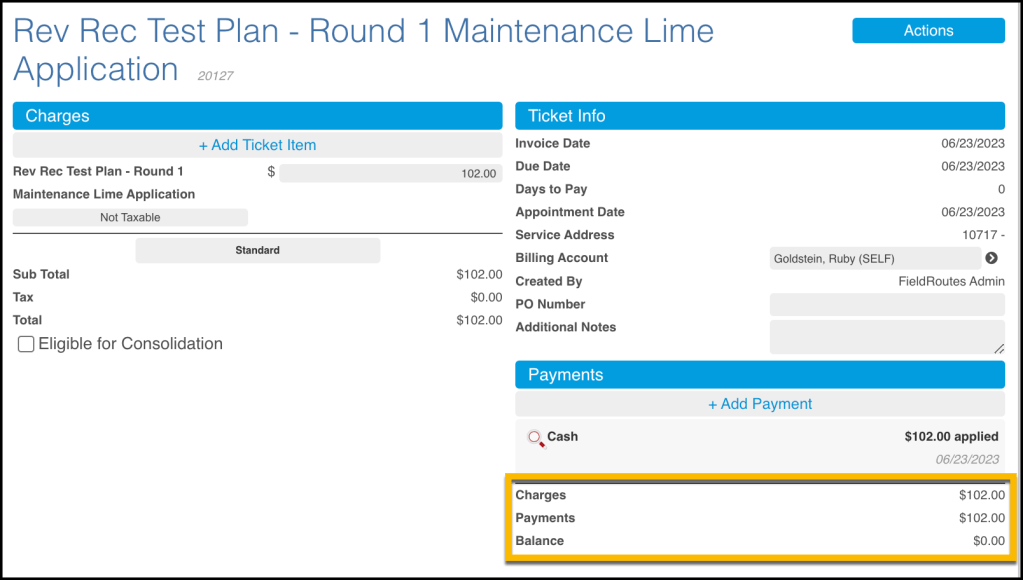
The invoice is broken down further when clicked. It shows the charges minus payment, equaling a balance of Zero. At this point, the funds used for the first service ($102.00) is typically considered revenue, as it is applied to the invoice, and that invoice balance is zero. Again, please consult your company’s accountant to confirm that this is how you view that transaction.
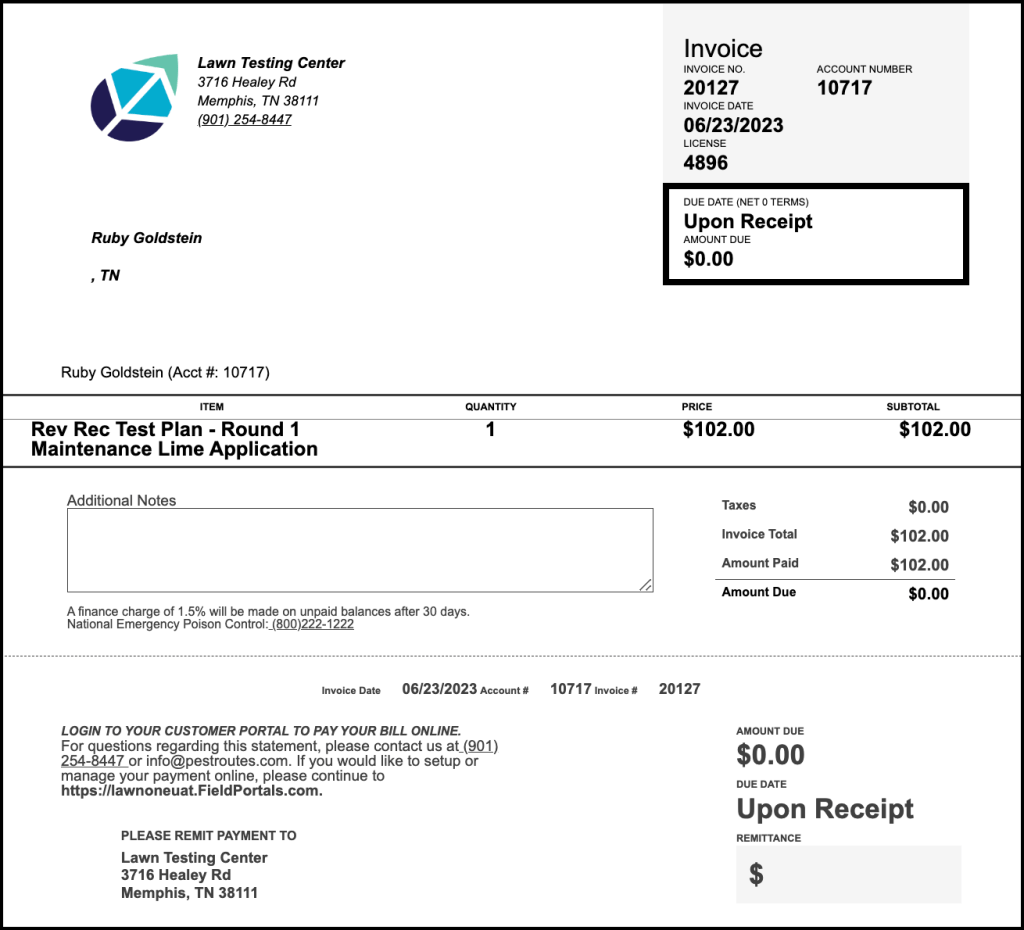
Here is a copy of the invoice generated.
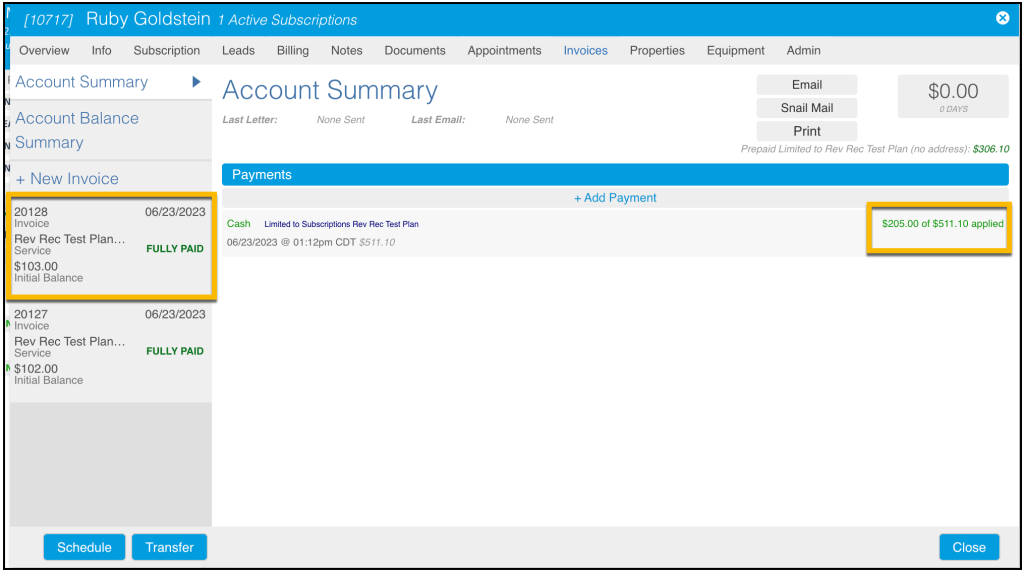
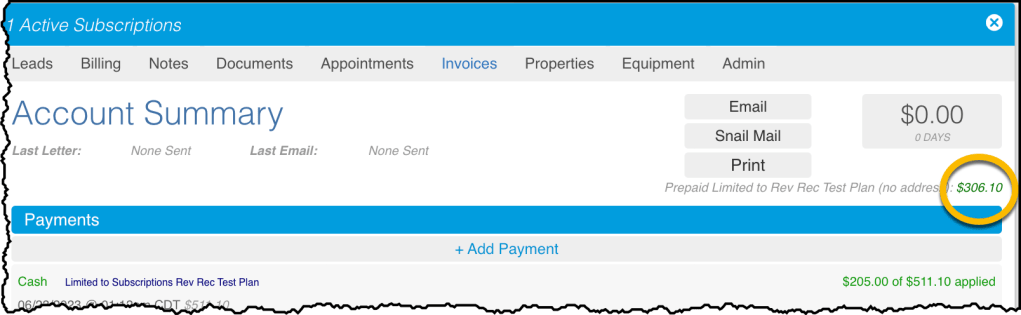
The following screenshot shows the Account Summary after the second service has been performed. A second invoice (20128) was created, and $103.00 was applied to it. The amount limited to the Prepayment subscription has been updated to include the payments for both Rd1 and Rd2 now, as it says $205.00 of $511.10.
Currently, $306.10 remains and is to be used to pay for the remaining services that are part of the plan. Each time a service is completed, the service rounds cost will be deducted until the remaining amount of the Prepayment equals $0.
Here is a downloadable sample of the Prepayment Funds flow:
 Moxie Pest Control Office Guide