
PestRoutes Sales: Leaders Tab
Summary
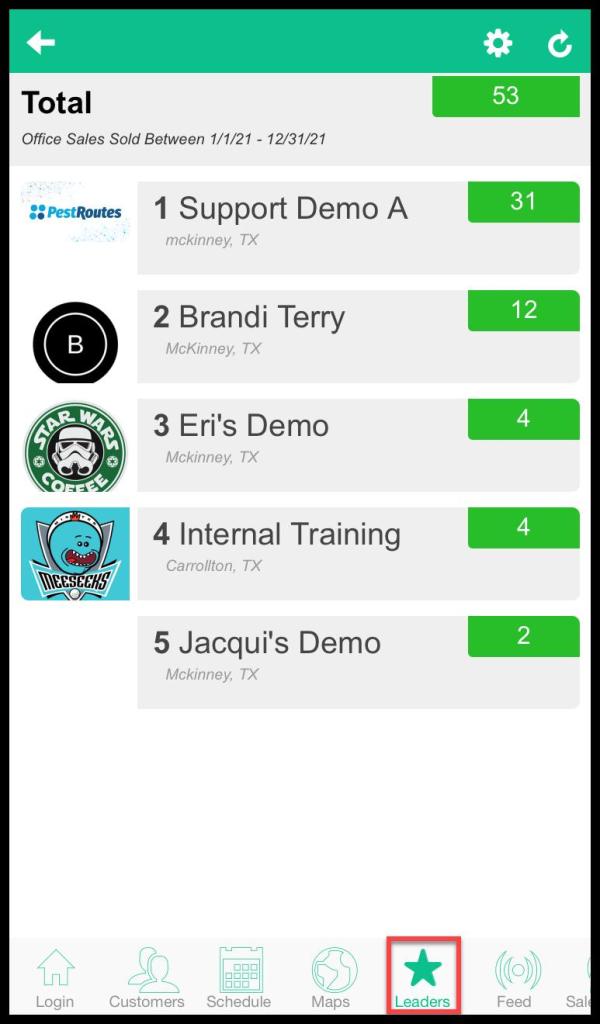
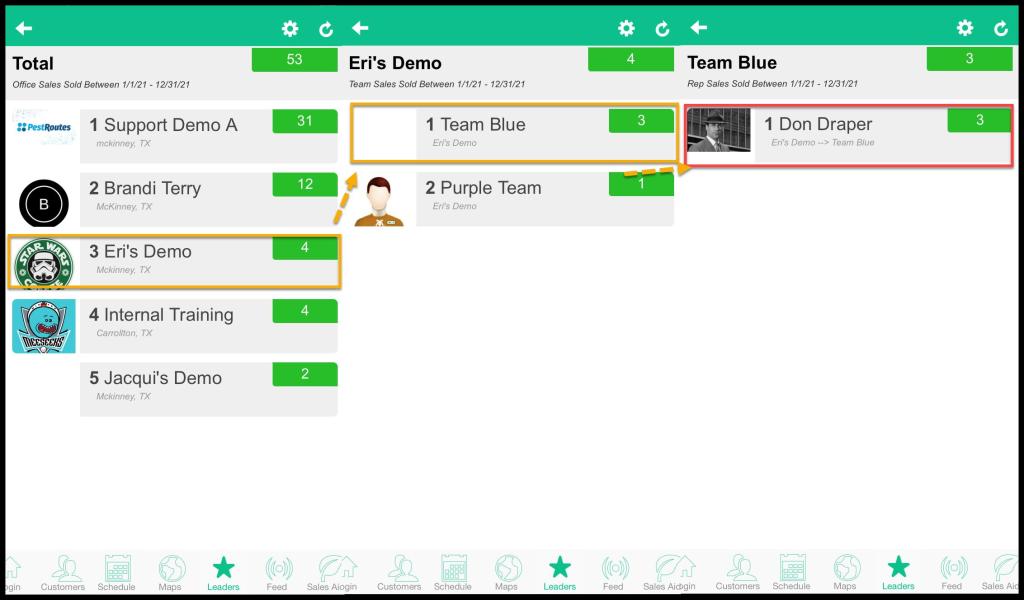
The Leaders tab is a leaderboard for the company. By default, it will display the offices within the company first. Select an office to view the teams within the office. Then, select a team to view all of the sales representatives.
Important Points:
- Use the Leaderboard helps to track high performers in the company.
Accessing the Leaders Tab
To access the Leader tab in PestRoutes Sales:
Open the PestRoutes Sales App > Leaders.
Filtering the Leaders Tab
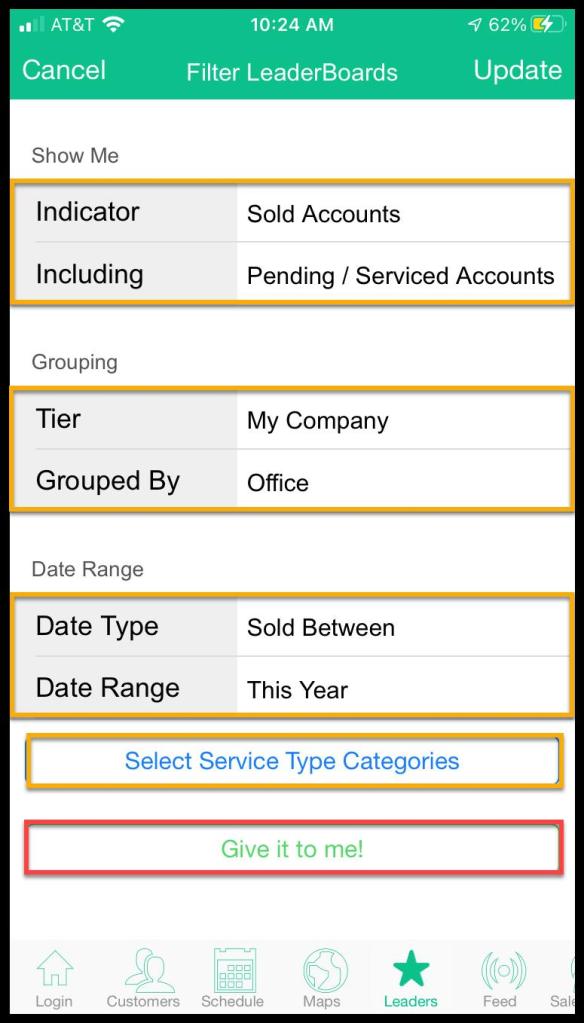
There are a few different ways to filter the Leaders tab as well. Press the gear icon in the upper right-hand corner of the screen, and choose from the following options:
Show Me
- Indicator
- Sold Accounts: Ranks teams or individuals by the number of accounts sold.
- Serviced Accounts: Ranks teams or individuals by the number of accounts serviced.
- Total Revenue: Ranks teams or individuals by their total revenue.
- Auto Pay: Ranks teams or individuals by the number of accounts on autopay.
- Avg Initial Price: Ranks teams or individuals by the average initial price.
- Avg Contract: Ranks teams or individuals by the average contract value.
- Multi-Years: Ranks teams or individuals by the number of multi-year contracts.
- Paid in Fulls: Ranks teams or individuals by accounts paid in full.
- Switch Overs: Ranks teams or individuals by the number of customers switched over from other companies.
- Including
- Pending / Serviced Accounts: Include accounts that are pending or have already been serviced.
- Just Serviced Accounts: Only include accounts that have been just serviced.
Grouping
- Tier: Group by Team, Office, or Company.
- Grouped by: Group the tier by Salesman, Team, Office.
Date Range
- Date Type: Display results by Sold Between or Scheduled Between the date range.
- Date Range: Limit results by a date range.
Press Give it to me to display the leaderboard.
Accessing the Baseball Card
To open the Baseball Card, go from the top tier chosen to the Sales Rep tier and choose the Rep.
Viewing the Baseball Card
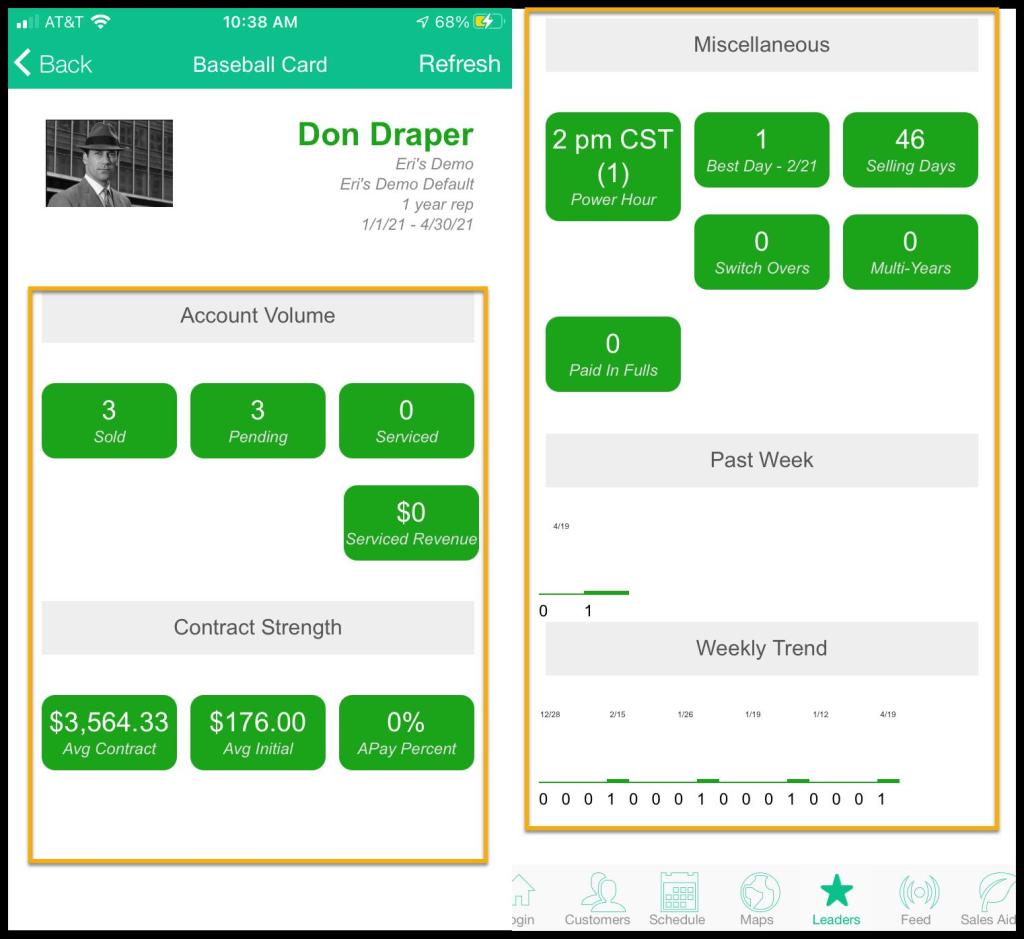
Pressing a sales representative will display their Baseball Card. The Baseball Card will show statistics for the representative.
- Account Volume: Displays the volume of Sales in Sold, Pending, Serviced, and Serviced Revenue.
- Contract Strength: Displays the revenue generated by contracts and the Autopay Percent.
- Miscellaneous: Displays various attributes.
- Power Hour
- Best Day
- Selling Days
- Switch Overs
- Multi-Year Contracts
- Paid in Fulls
- Past Week: Displays the contracts sold over the past week.
- Weekly Trend: Displays the contracts sold over time.
 Moxie Pest Control Office Guide