
Password Encryption
Summary
Passwords within FieldRoutes are encrypted so that individual users and customers can reset their own credentials. Passwords are not visible to other office staff. This ensures a high level of security and confidentiality.
Important Points:
Password requirements ensure stronger security:
– 1 Numeric Character
– 1 Lowercase Character
– 1 Uppercase Character
– 8 Total Characters
Passwords are Case-Sensitive.
Creating New User – Passwords
When creating a new user, a randomly generated password is assigned though not visible. If the user has an email address on their user card, they will automatically be sent a password reset link to create their personalized password.
NOTE:
This password reset link is only valid for 24 hours. It may need to be resent if the user does not reset it in that time frame.
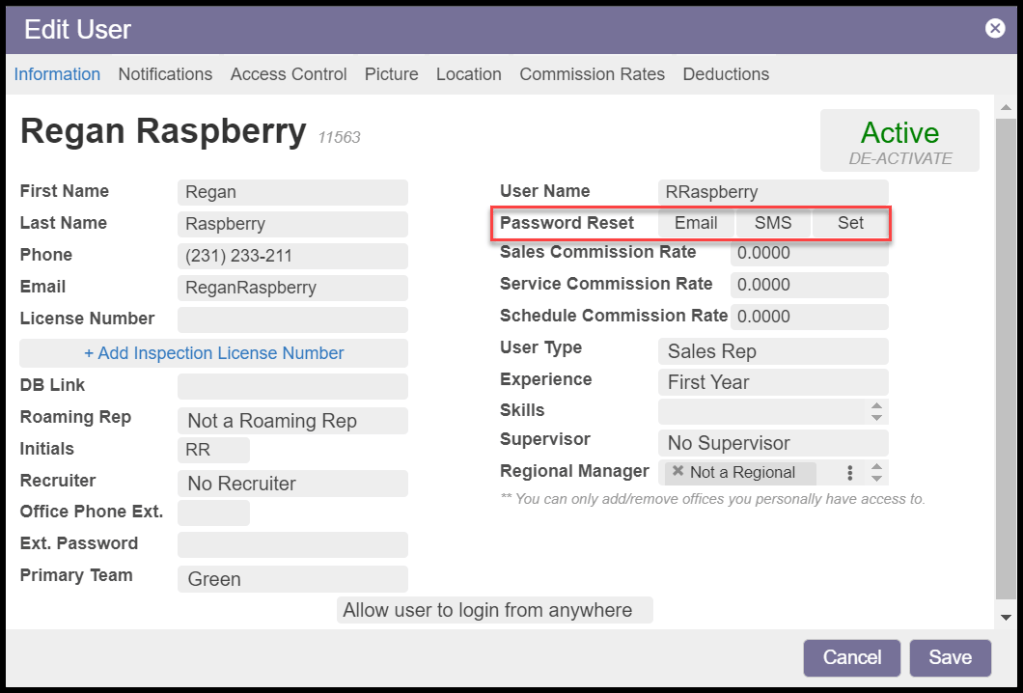
The office staff that created the new user can also manually send an SMS reset link if the user card has a valid mobile number on file. This can be done from the Information tab of the user card.
Resetting Forgotten User Passwords
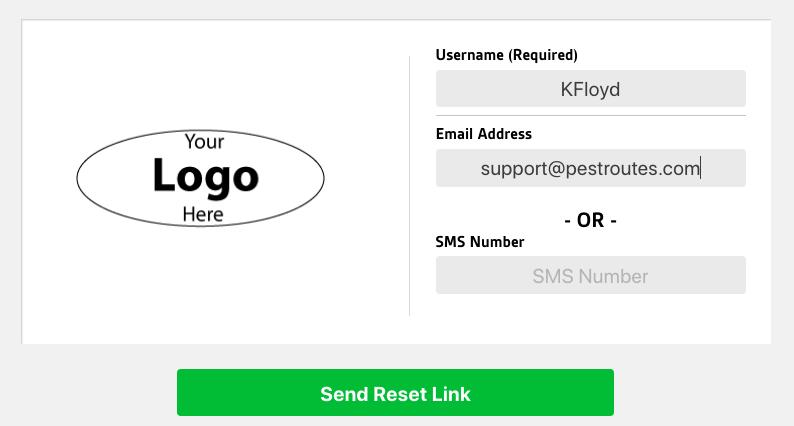
The user can reset a forgotten password on the login screen by clicking on the Forgot Password link. The user will need to know their username and either the email address or phone number associated with their user card.
If they enter their email address, they will receive the reset link via email.
They will receive the reset link via SMS if they enter their phone number.
NOTE:
This password reset link is only valid for 24 hours. It may need to be resent if the user does not reset it in that time frame. Once it has been sent, the old password will be invalidated.
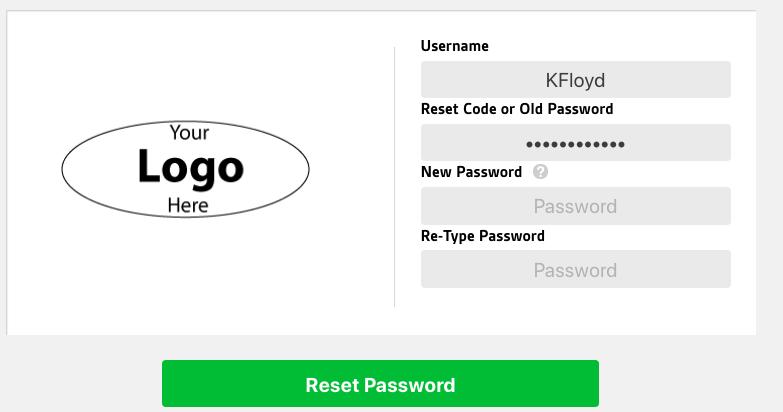
When creating a new password, the user must enter their username, the reset code they received (or the old password), and their new password.
Changing User Passwords
Users can now change their password on the login screen by clicking on the Change Password link. The user will need to know their username and their old password, and they will be required to enter their new password.
Creating New Customers – Passwords
When you create a new customer with an email address, that person will automatically be sent an email with a link to reset and personalize their PestPortal password.
If the customer has no email address, they must reset and personalize their password before they can be automatically logged into their PestPortal.
If the customer has a mobile number as Phone 1 in the Customer Card, you can manually send them an SMS link to reset their password from the Flags tab.
SMS reset messages will never be automatically sent. Customers can request an SMS reset link for their password by entering the phone number associated with their Customer Card from the PestPortal when they click the Forgot Password link.
For more information on resetting a customer’s password from the PestPortal, review our Navigating the Customer Portal help guide.
Resetting a Customer’s Password
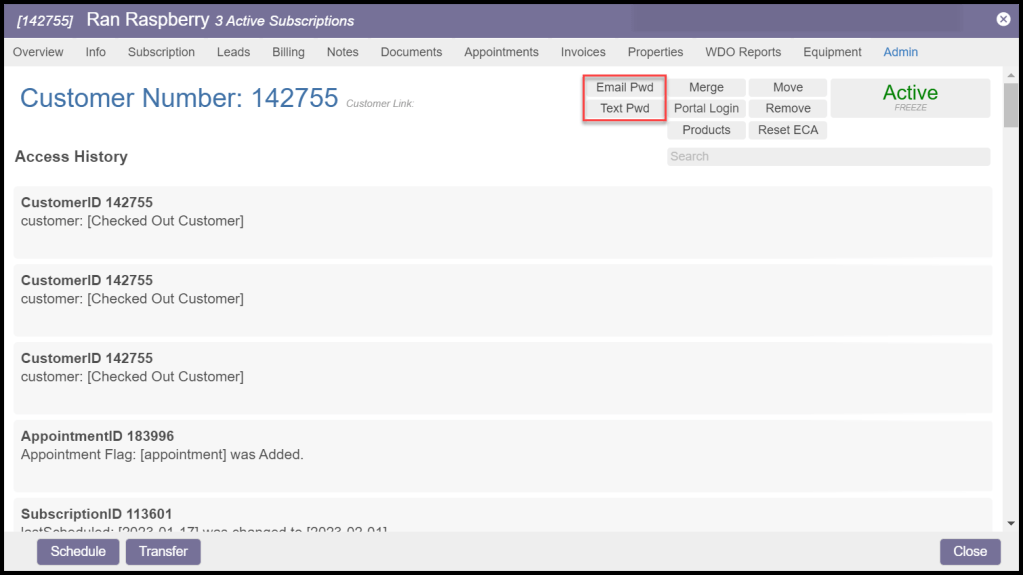
Go to the Admin tab of the Customer Card and click either Email Pwd or Text Pwd to send a link the customer can use to reset their password.
 Moxie Pest Control Office Guide