
Location Report
Summary
The Locations Report is used to track where technicians and sales users have been by following where the mobile applications have reported their location.
Important Points:
- The mobile applications will periodically ping the users location, which is displayed here.
Accessing the Locations Report
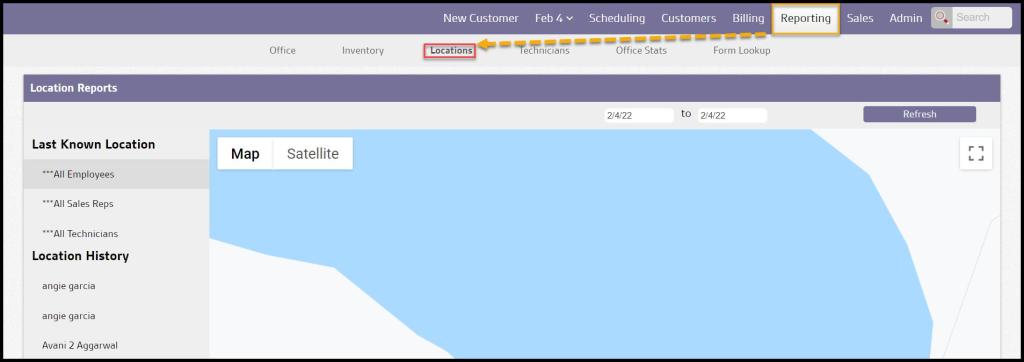
To access the Locations report, go to
Reporting > Locations.
Filtering the Locations Report by Date
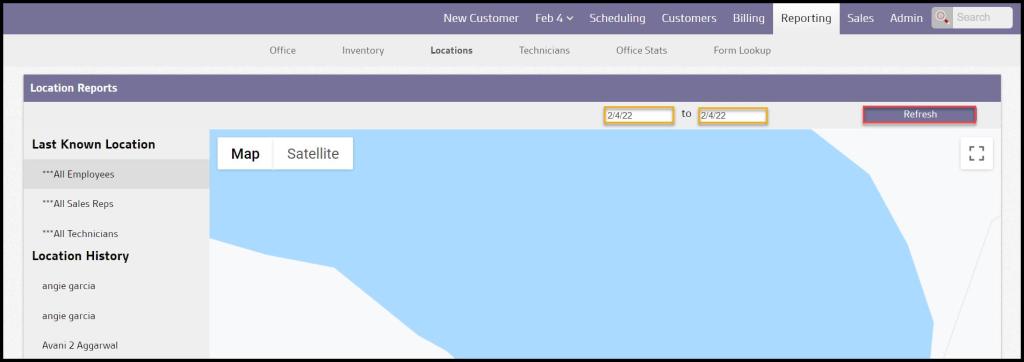
Enter in the desired date range, then select Refresh.
Filtering the Locations Report by Employee Type
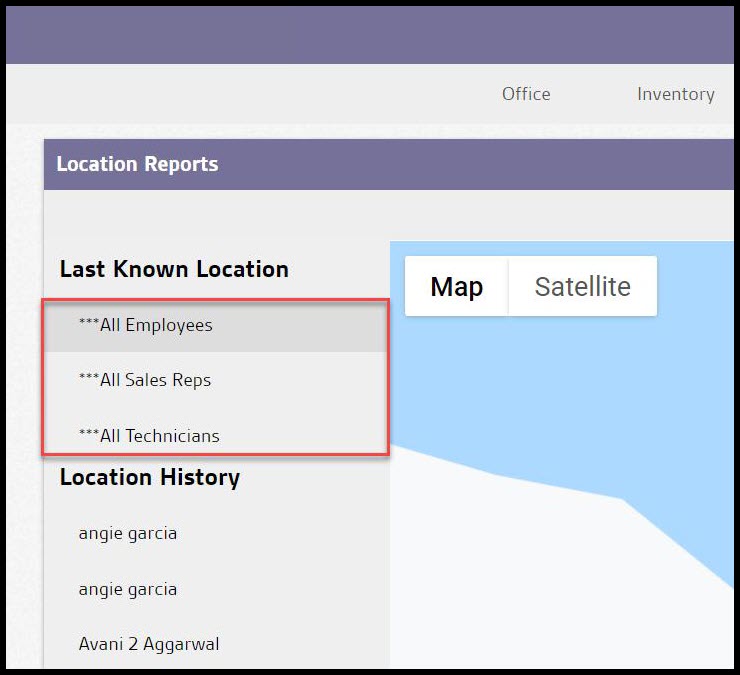
To filter by an employee type, go under Last Known Location >“All Employees,” “All Sales Reps,” or “All Technicians.” When selecting one of the employee-type filters, only each user’s last known location within the date range will be displayed.
Filtering the Locations Report by a specific employee
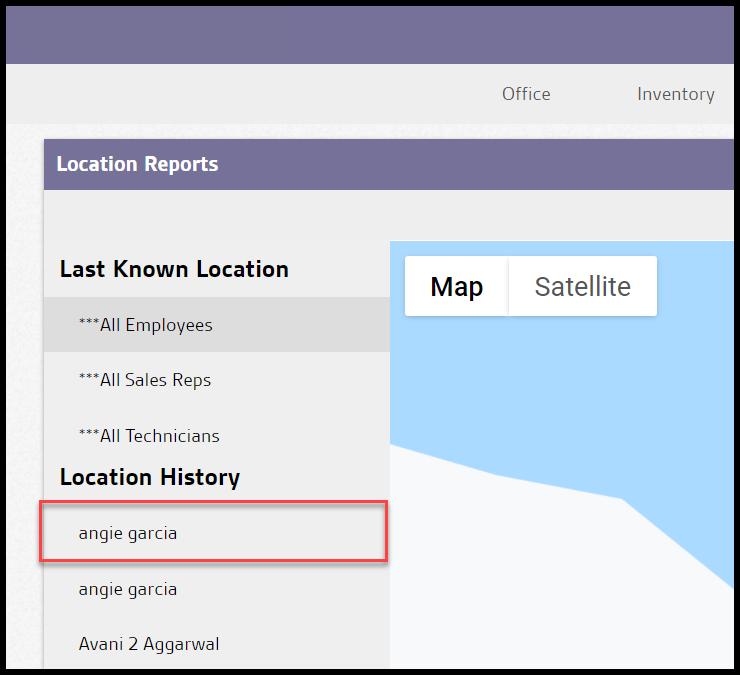
To limit the report to view only a specific user, go to the Location History > choose the user. When selecting a specific user, all location history within the date range will appear on the map.
 Moxie Pest Control Office Guide