
How to Freeze Customer Accounts
Summary
Like freezing a subscription, freezing a customer’s account will not cause the customer to lose any of the account data and will allow the frozen customer to be reactivated later. However, deleting the customer will completely remove all the customer’s information, including contact information, subscriptions, and previous appointments.
Important Points:
- Frozen accounts can be reactivated at any time.
Freezing the Customer
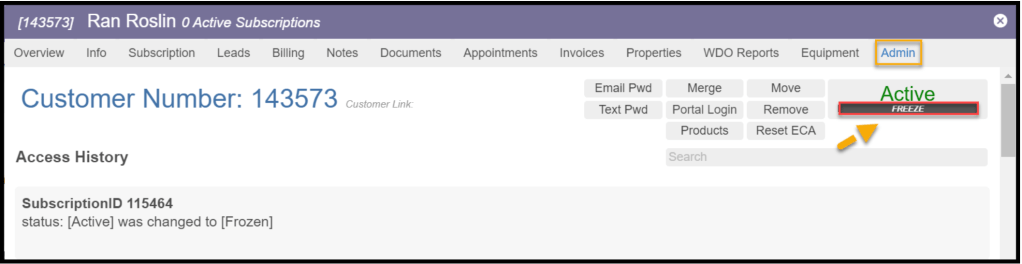
To freeze a customer, go to
Customer Card > Admin.
Select the Freeze option to cancel the customer in the upper right corner.
Using the Cancellation Reasons
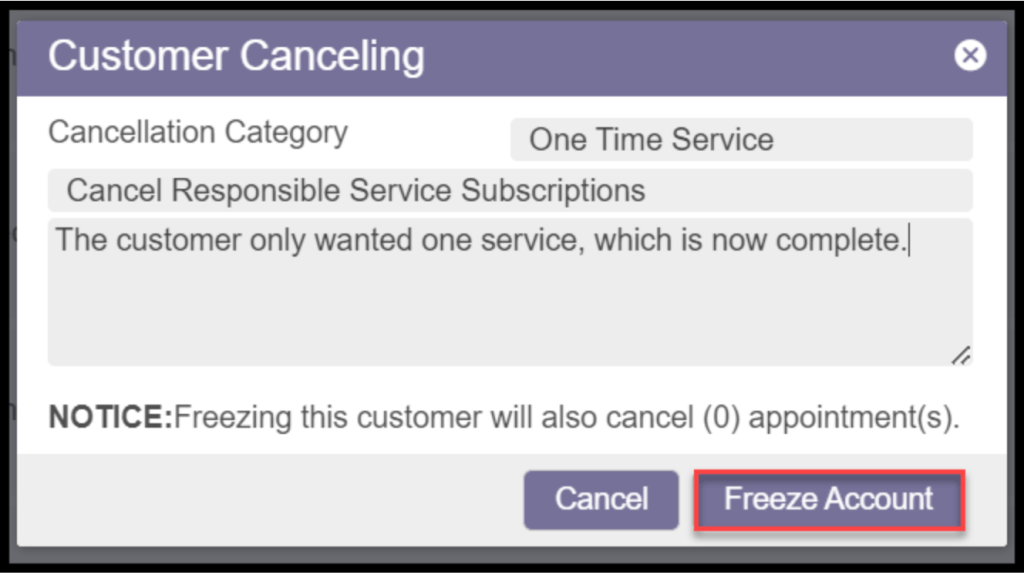
Once “Freeze” is selected, a prompt will appear for entering a cancellation reason. The user must enter a reason for canceling the customer. Select Freeze when finished. This will save in the access history in the Admin Tab.
Configuring Cancellation Reasons
To configure the cancellation reasons, go to the:
Admin > Preferences > Customer Preferences > Cancellation Reasons and select + cancellation reasons or edit to edit the cancellation reason.

Updating a Cancellation Reason
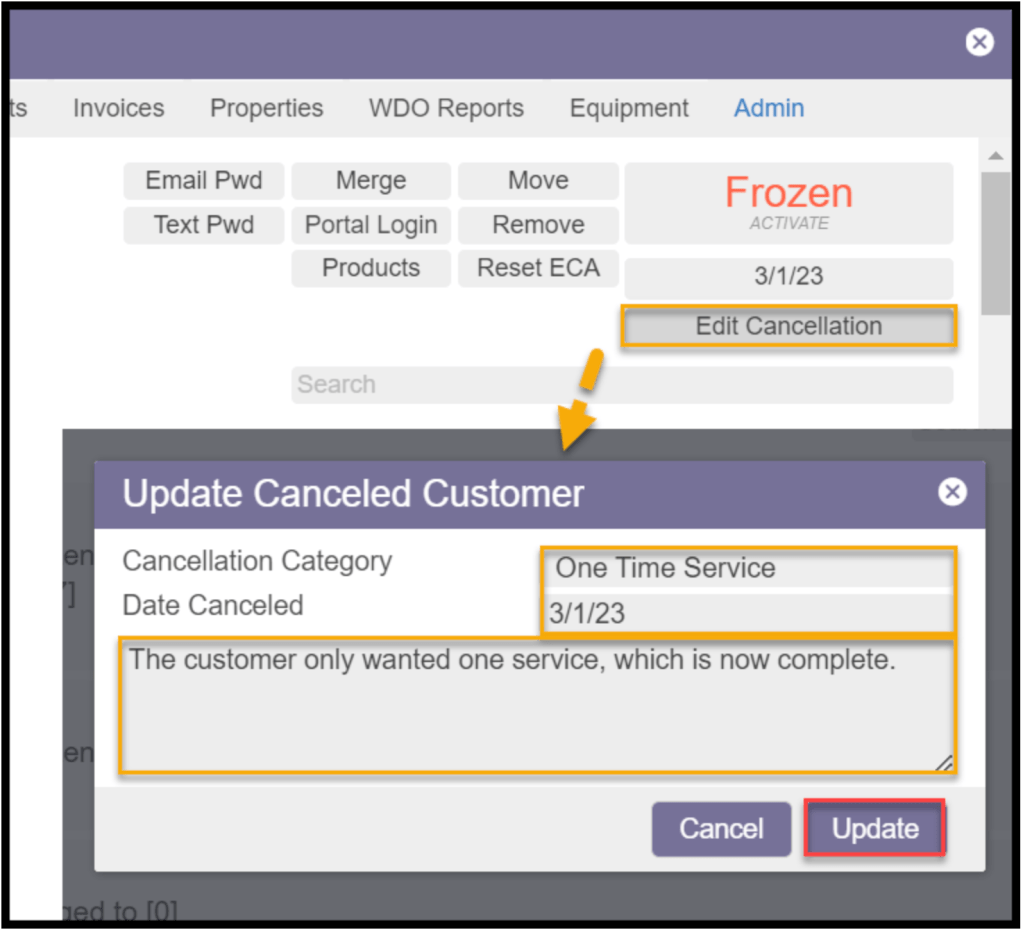
A cancellation reason can be updated by selecting the Edit Cancellation option. Enter the new reason and choose the Update option.
Reactivating a Frozen Customer Card
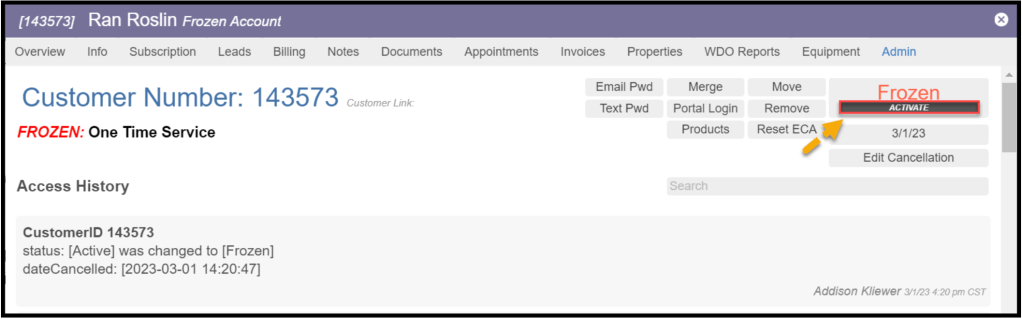
Once the customer’s account is frozen, any active subscriptions will also be automatically frozen. All information related to this customer will be saved in the desktop application, so the customer can easily be reactivated if needed. Select the Activate option in the Admin tab to reactivate the frozen card.
Deleting a Customer
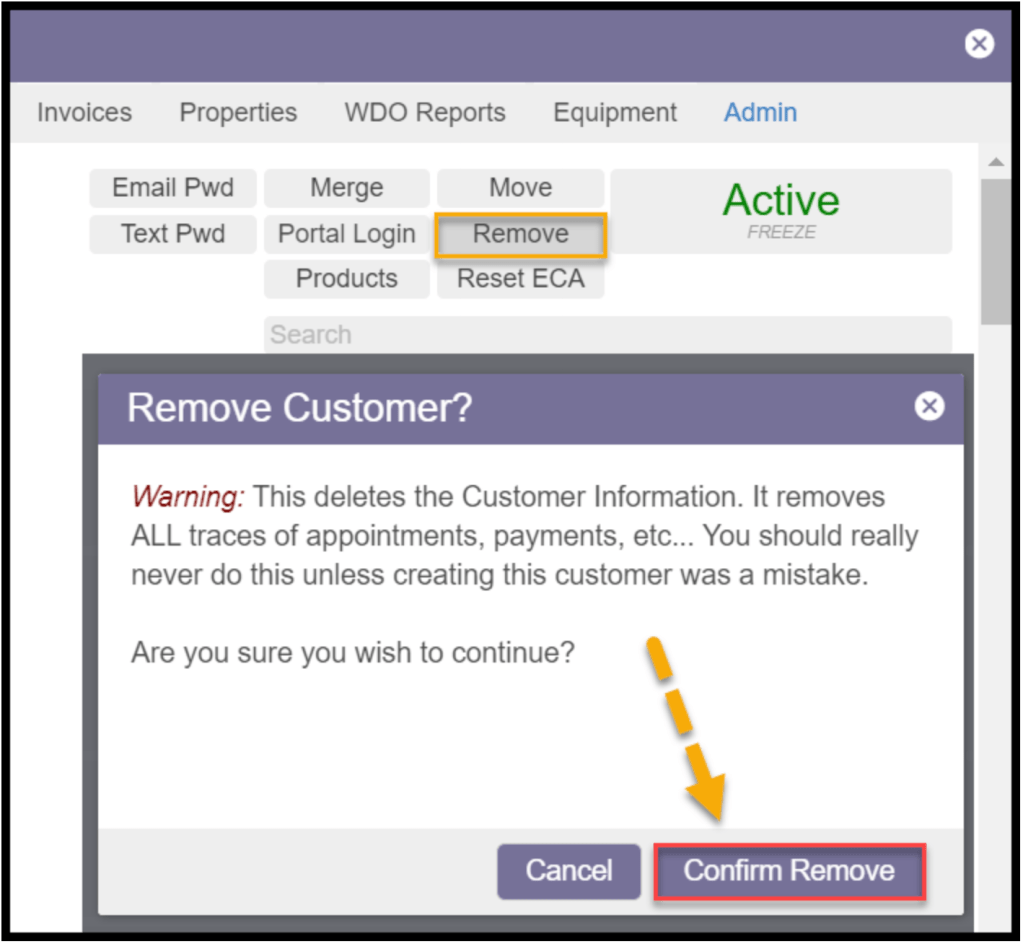
To completely remove all the information related to a customer, the customer can be deleted by going to the Admin tab and selecting “Remove.” Confirm to remove the customer, and the Customer Card will disappear. Everything associated with the customer, including invoices, subscriptions, and appointments, will be completely removed from the desktop application. Deleted customers can be recovered in the Customer Restore Report, see the Customer Restore Report guide for more information.
 Moxie Pest Control Office Guide