
Expiring Credit Cards
Summary
The Expiring Credit Card Report will display customer credit cards that have expired.
This is beneficial because the user can pull a report for credit cards that will expire within a selected date range, and send a message to these customers to ensure the credit card gets updated.
Important Points:
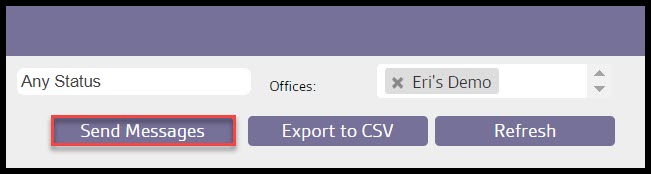
- Messages can be sent to customers using the Send Messages option.
Accessing the Expiring Credit Cards Report
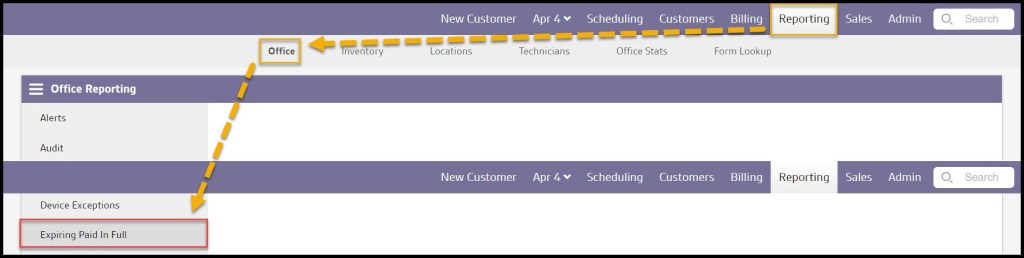
To access the Expiring Credit Cards report, go to:
Reporting > Office Reporting > Expiring Credit Cards.
Filtering the Expiring Credit Cards Report
To filter the Expiring Credit Cards Report, toggle these filters.
- Start and End Dates: Limit results between certain dates in the Expiring Credit Cards Report.
- Customer Status
- All: Display All Customers.
- Active: Display only active customers with Expiring Credit Cards.
- Frozen: Display only frozen customers with Expiring Credit Cards.
- Offices: Limit results from certain offices to be included in the Expiring Credit Cards.
Select Refresh to run the report.

Viewing the New Expiring Credit Cards Data Columns
Several data columns can be displayed for the Expiring Credit Cards Report.
- Customer ID: Displays the unique identification number for customers with expiring credit cards.
- Billing Name: Shows the name of the billing information for the expiring credit card.
- Expiration Date: Displays the date the expiring credit card expires or expired.
- Last Four Digits: View the last four digits of the expiring credit card.
- Customer Status: Displays the status (active or frozen) of the customers with expiring credit cards.
The Expiring Credit Cards Report can be exported.

Exporting Expiring Credit Cards Reports
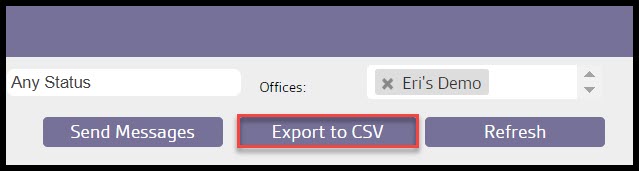
To export an Expiring Credit Card as a CSV File, select Export to CSV.
Sending Messages to Customers on the Expiring Credit Card Report
Once Send Messages is selected, a new dialogue box will appear, allowing the user to send a message to all the customers in the report in bulk.
Select the message type at the top of the window. The user can choose between SMS, voice, and email messages.
There are dynamic placeholders available for the messages. They can be used to customize each message with the customer’s information. SMS messages are limited to 140 characters, including the placeholders.

 Moxie Pest Control Office Guide