
Customer Sources
Summary
The Customer Sources preferences are used to set up and manage sources for customers.
Recording sources help users see how customers are discovering the company and its products. It also helps measure marketing efforts by eliminating poorly performing advertising mediums and focusing on better-performing campaigns.
Important Points:
- Once sources are created in Preferences, the Customers report can be used to filter customers by their sources.
Accessing the Customer Sources in Preferences
To access Customer Sources, go to:
Admin > Preferences > Customer Preferences > Customer Sources.
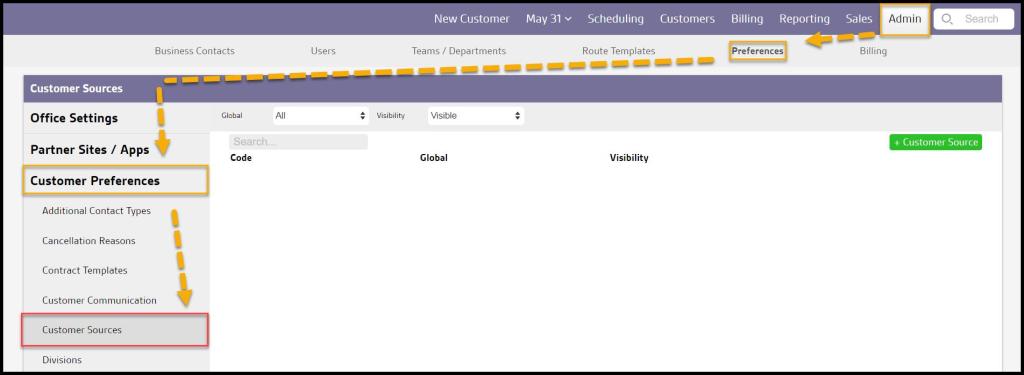
Filtering the Customer Sources
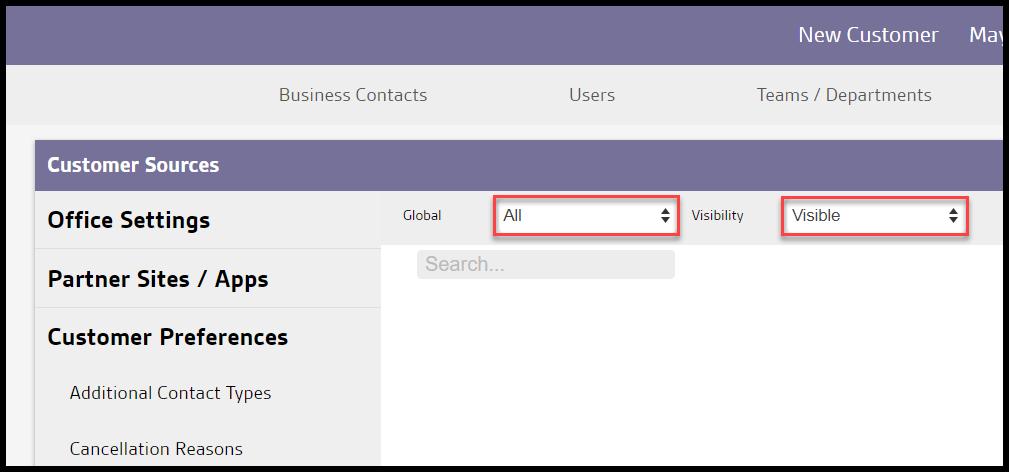
To filter the Customer Sources, toggle these filters.
- Global
- All: Display all Customer Sources.
- Specific to Office: Display only Customer Sources flagged specifically to the user’s office.
- Available to all offices: Display only Customer Sources flagged as available to all offices.
- Visibility
- All: Show all Customer Sources.
- Visible: Show only visible Customer Sources.
- Hidden: Show only hidden Customer Sources..
The Customer Sources will refresh after different filters are selected.
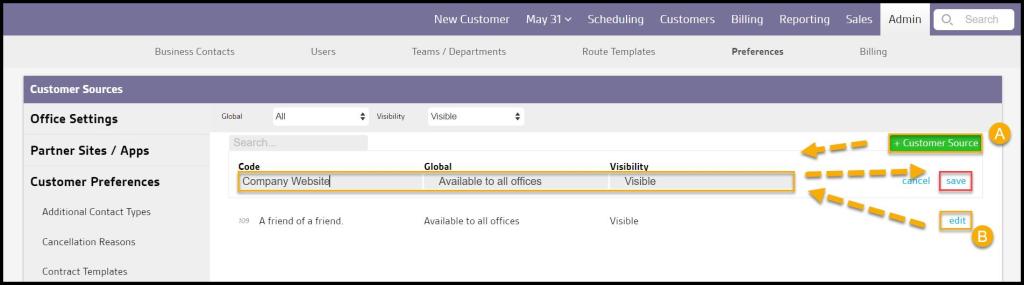
Adding or Editing a New Customer Source
To add a new Customer Source, select + Customer Source or edit to make changes to an existing Customer Source.
- Code: Choose the method that customers are using to discover the company.
- Global: Determine if the Customer Source will be visible to the user’s office or to all offices for users with multiple offices.
- Visibility: Customer Sources cannot be deleted, so toggling the visibility to hidden will remove Customer Source from view.
Select Save when finished editing the Customer Source.
Adding a Source for a Customer or a Subscription
A source can be added for a customer in two different ways. A source can be specific to the customer’s account or a subscription.
To give a customer account one source, go to:
Customer Card > Info > Select Source. Select the correct source and then save the changes
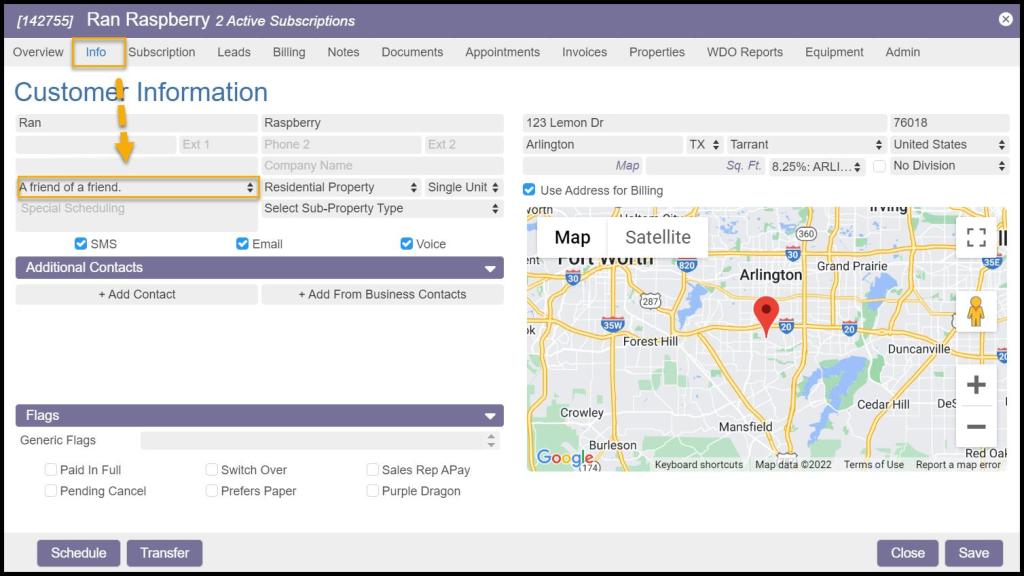
To give a customer account one source, go to:
Customer Card > Subscription > select the preferred Subscription > Source. Select the correct source and then save the changes

 Moxie Pest Control Office Guide