
Contract Templates
Summary
The Contract Templates allow the user to generate contracts for each service type.
The Contract Templates provided by default are designed to be functional on all devices, they are responsive and allow the user to take a digital signature that can be emailed directly to the customer. This preference allows the user to edit and adjust the Contract Templates using HTML, to personalize them for the company.
Important Points:
- FieldRoutes offers custom development for contracts at an hourly rate. Please view the signed agreement with FieldRoutes for more details.
- If any changes are made to the “Default” contract template, it will also update all of the other Contract Templates.
Accessing Contract Templates
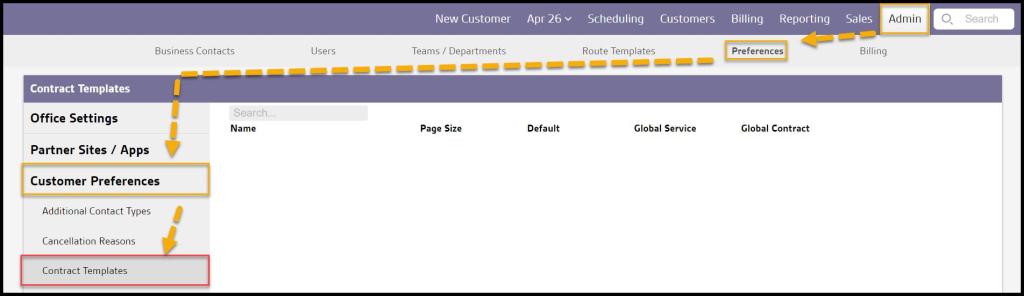
To access the Contract Templates, go to:
Admin > Preferences > Customer Preferences > Contract Templates.
Searching for a Specific Contract
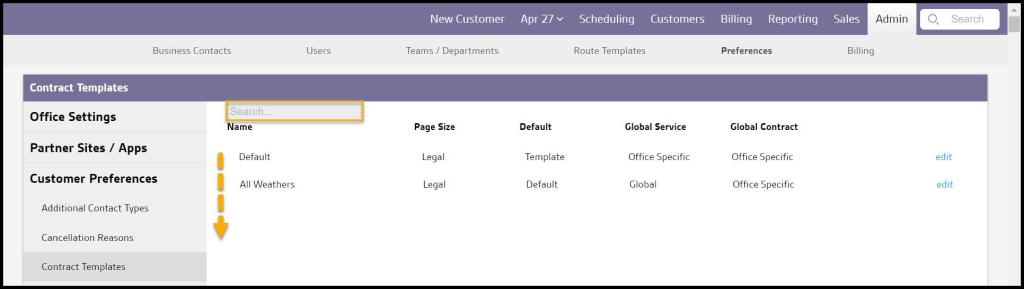
Use the “Search” field to find specific contracts or scroll down to find the Service Type name.
Using the Default Contract
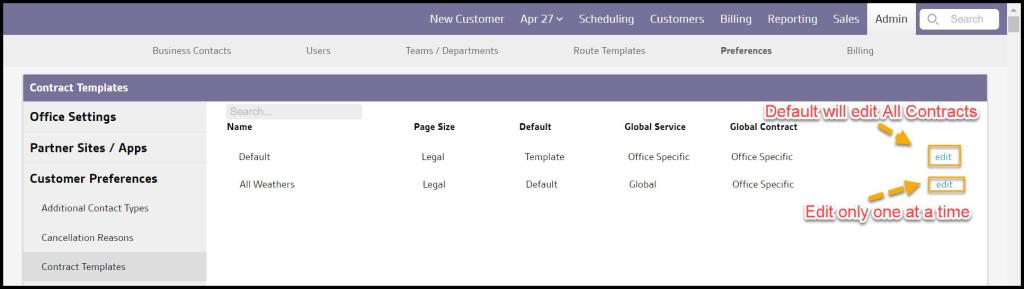
Making any changes to the “Default” contract template will also update all of the other Contract Templates. To make changes to only one contract, select the specific contract.
Edit Contract Templates Without HTML
The user can edit the Contract’s text and pictures in the contract’s preview screen without using HTML.

Using the Preview Button
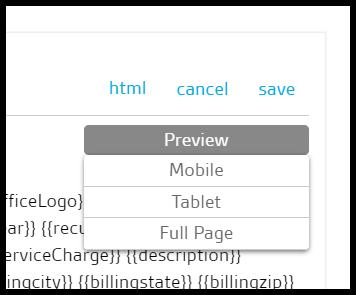
The Contract can be previewed by how it would appear on the mobile, tablet, or desktop screens.
Editing Contract Templates in HTML
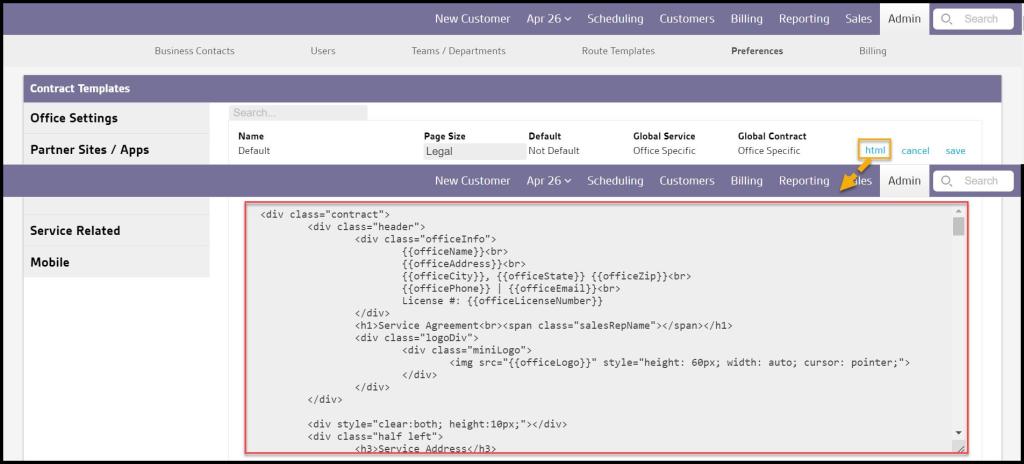
Contracts can also be edited using HTML. HTML editing can be engaged by pressing “Html” at the top right next to “Cancel” and “Save.”
If the user is comfortable editing with HTML, feel free to edit the contract template. If the user is uncomfortable editing the contracts in HTML, our development team can design custom contract templates for a custom development fee. Please contact our support line to learn more.
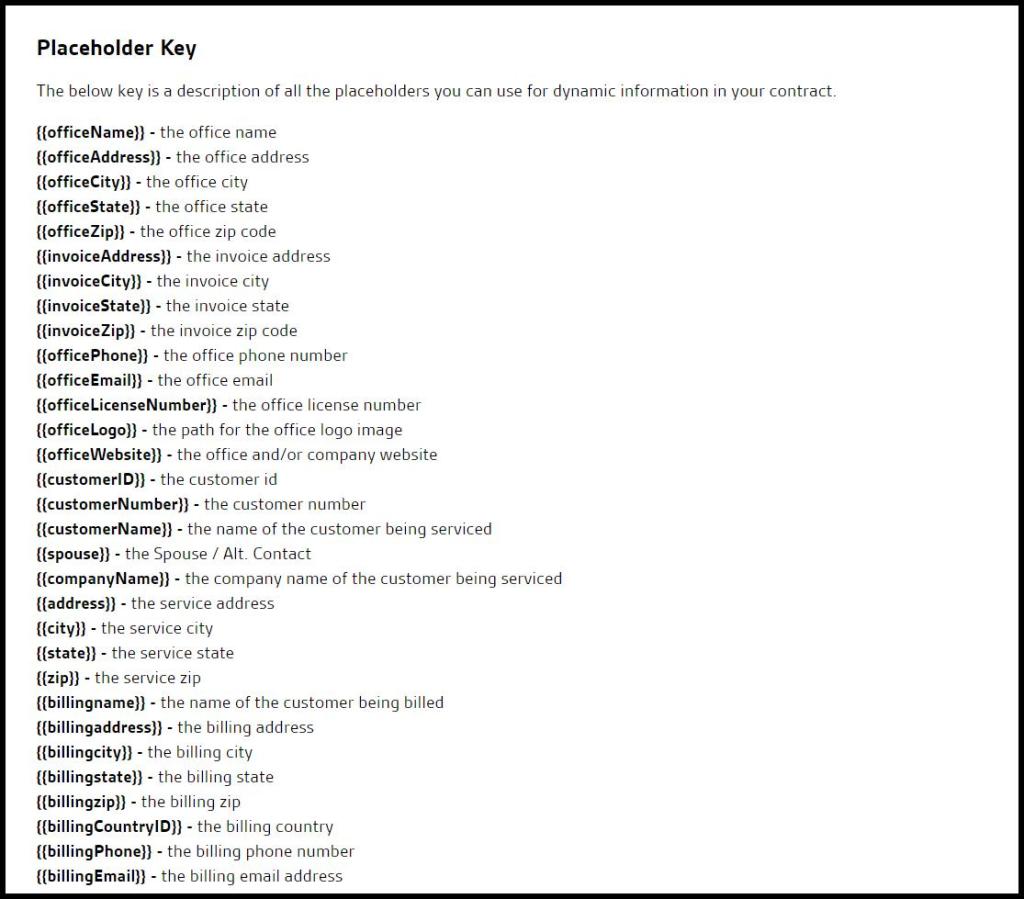
Placeholder Key
There is a full list of all the placeholders that the user can use for dynamic information in the contracts.
Welcome Letter
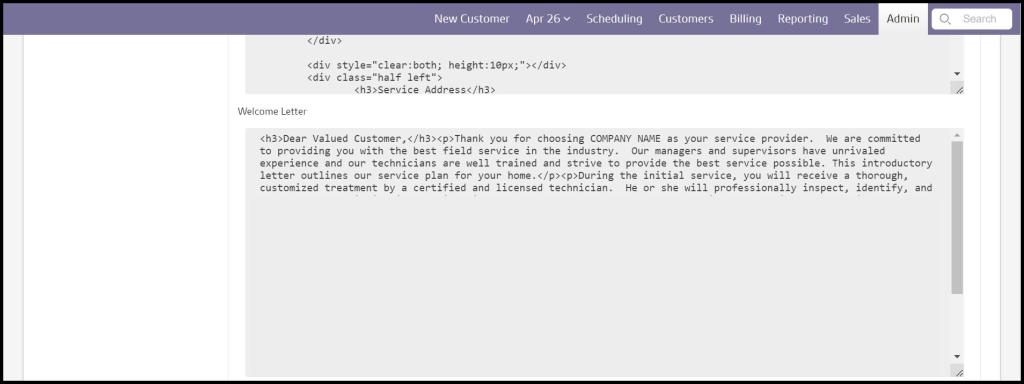
After a customer signs a contract, they will receive a copy of the signed contract in their email. The Welcome Letter field will allow the user to create a welcome letter the customer will receive along with the signed contract.
Use HTML to format the welcome letter.
PDF Attachment
The user can also upload a PDF document the customer will receive along with the signed contract and the welcome letter. Only one PDF can be attached.

 Moxie Pest Control Office Guide