
Colors
Summary
The Colors preferences allow users to change the colors of four different aspects of their Operations Suite and Customer Portal experiences.
This preference allows each company to customize each UI to match its own preferred/company colors.
Important Points:
- To find a particular HEX code for a particular color, consult color-hex.com.
Navigate to the Colors Preference
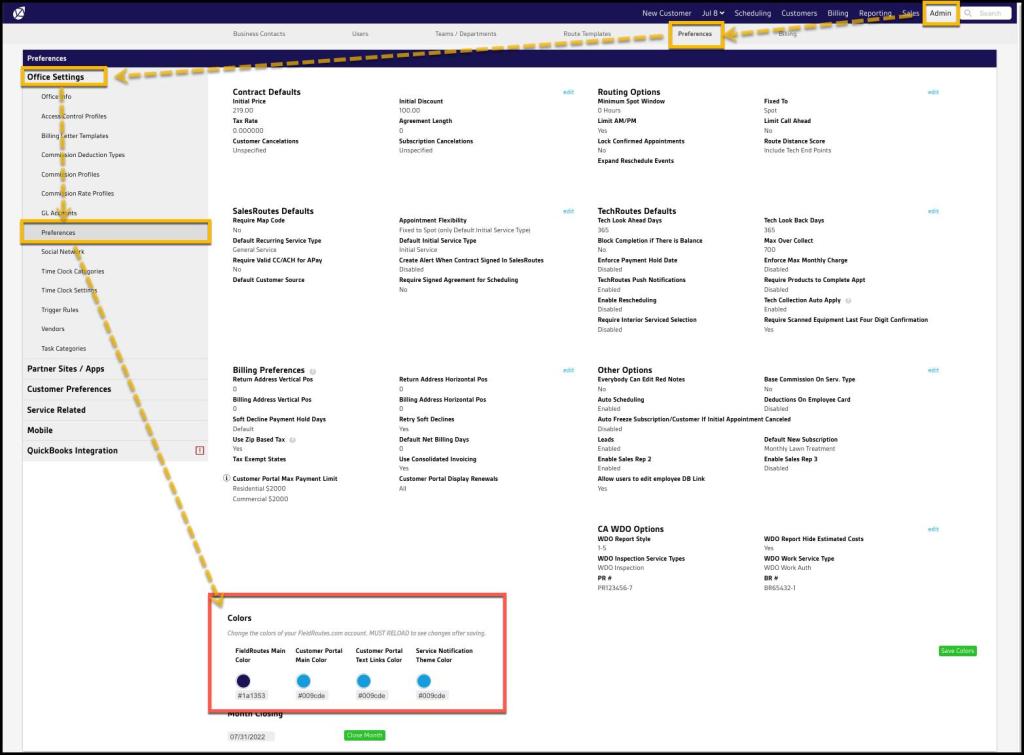
To access the preferences for Colors, navigate to:
Admin > Preferences > Office Settings > Preferences > Colors
Updating System Colors
To update the color of one of the four areas, click on the desired area’s color, and a color wheel will appear.
Users can select a color from the color wheel or enter a HEX code for a more personalized color.
Go to color-hex.com to find the hex code for your desired color.
Once the color is updated, you must reload the page to view the changes.

FieldRoutes Main Color
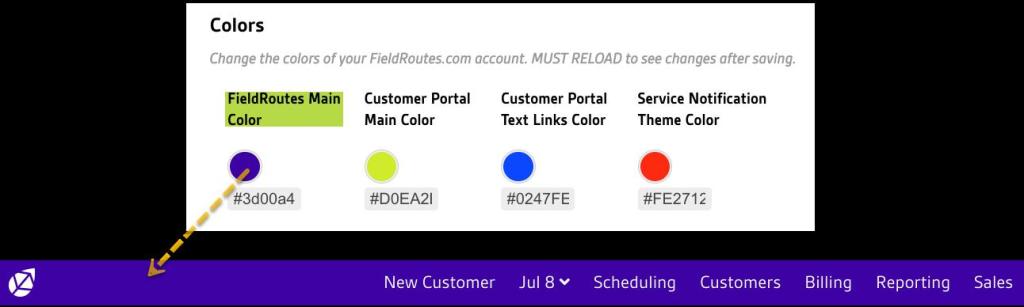
This option allows users to change the FieldRoutes Operations Suite web app’s main color.
Please see below for an example of where this color appears.
Customer Portal Colors
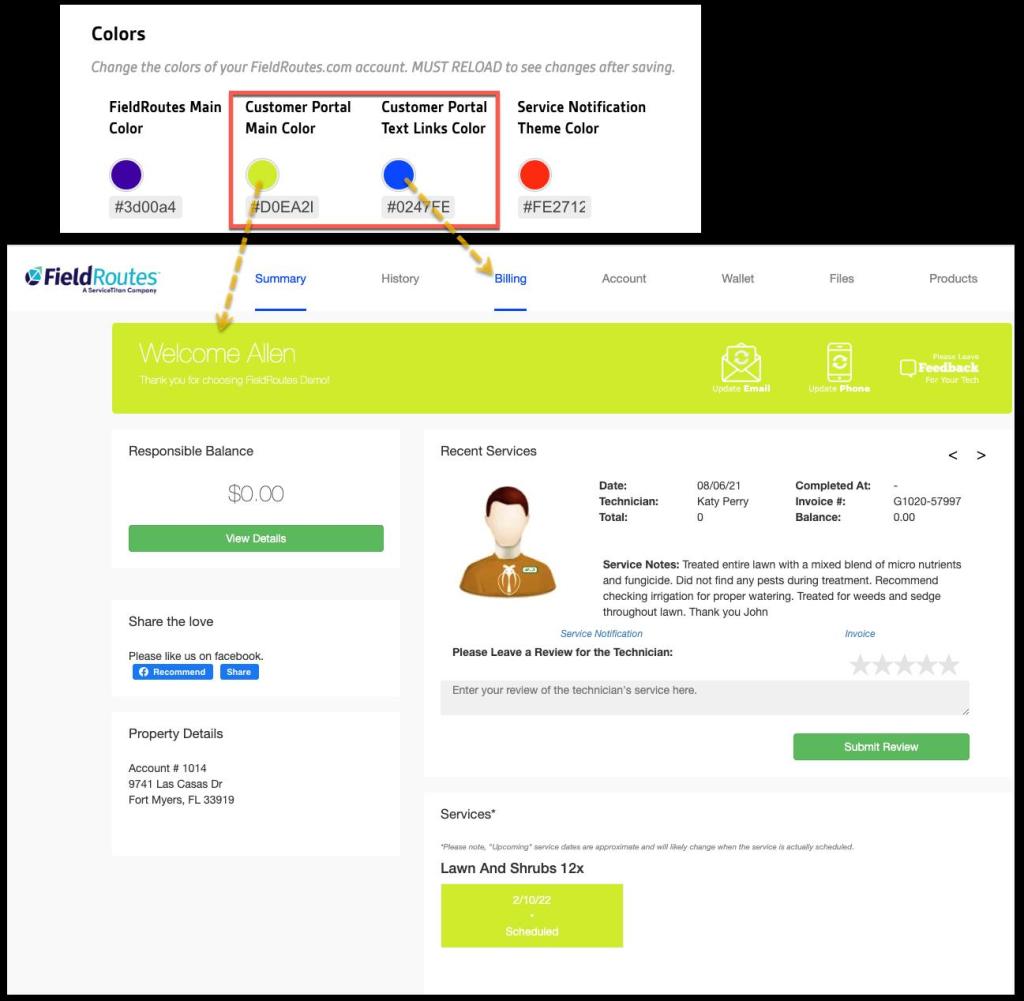
These options allow users to choose the colors for the various aspects of the Customer Portal.
- Customer Portal Main Color
- Customer Portal Text Links Color
Please see below for an example of where these colors appear in the Portal UI.
Service Notification Color
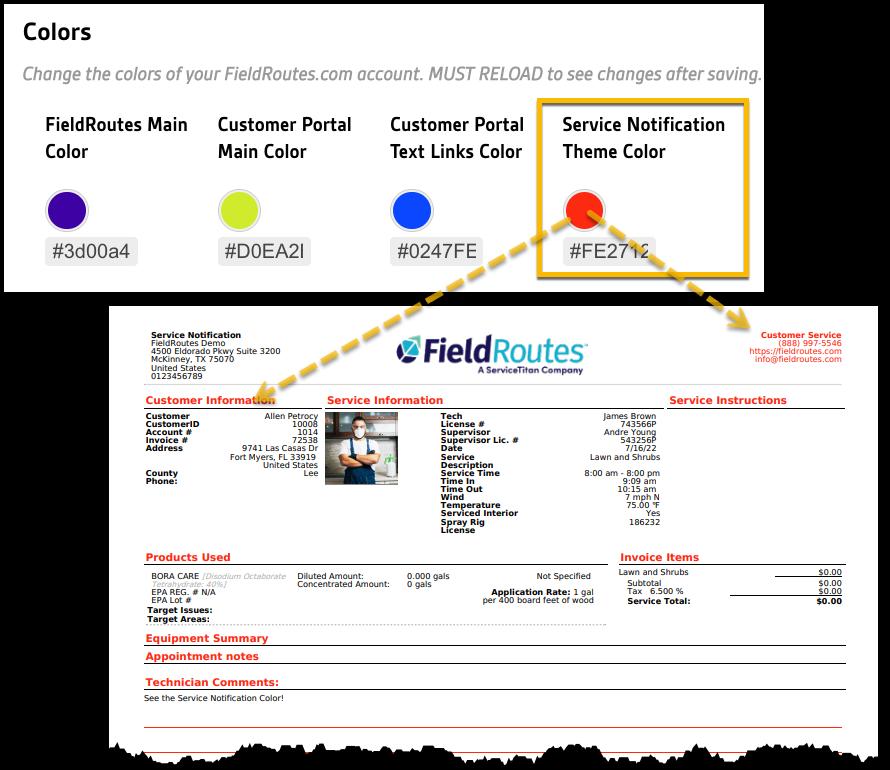
This option allows users to change the accent color for Service Notifications. The default color will remain green.
NOTE:
Once the color has been changed, technicians must log out and back in to see the changes in the mobile platforms.
Please see below for an example of how the service notification theme will look.
 Moxie Pest Control Office Guide