
Average Time On Site By Tech
Summary
The Average Time On Site By Tech Report will determine the average amount of time a technician stays at a location, depending on the appointment duration. This report will show the average time a technician is on-site based on the time the technician reports and the actual time reported on site.
Important Points:
- This report only considers appointments completed during the date range specified.
- It also groups the appointments not only by technician but also by appointment duration. This allows you to compare the average time on site based on how long the technician was supposed to be there.
- If no results are showing, enter the desired date range for the report in the date fields and the desired filters, and then select “Refresh”.
Accessing the Average Time On Site By Tech Report
To access the Average Time On Site By Tech Report,
Go to Reporting > Office > Average Time On Site By Tech.

Filtering Average Time On Site By Tech Report (Basic)
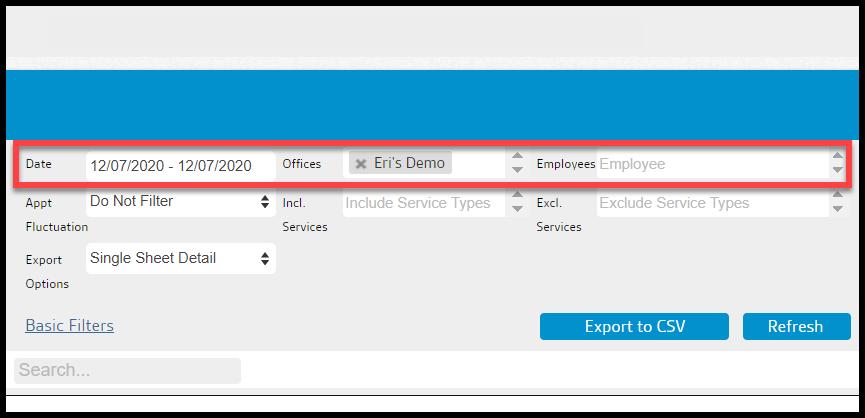
There are some basic filters in the Average Time On Site By Tech Report.
- Date: Limit the results between the dates of the appointments that are included in the report.
- Offices: Limit results to specific offices that are included in the report.
- Employees: Limit results to specific employees.
Select Refresh when finished with the filters to load the report.
Filtering the Average Time On Site By Tech Report (Advanced)
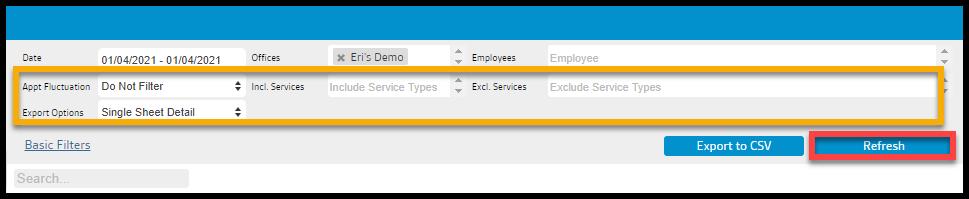
There are some advanced filters in the Average Time On Site By Tech Report.
- Appt Fluctuation: Filter appointments where the technicians reported leaving at a different time then the report time in the report.
- Do Not Filter: Do not filter appointments based on discrepancies in the appointment duration and the technician’s reported time at the appointment.
- Low Only: Show appointments where the technician left the appointment early than the reported time.
- High Only: Show appointments where the technician stayed at the appointment longer than the reported time.
- Low and High Only: Filter appointments where the technicians reported leaving early or staying later than the appointment duration in the report.
- Incl. and Excl. Service Types: Include and Exclude specific services in the report.
- Export Options: Export the report to a single sheet report, or a multi-sheet report by Office or Tech.
Select Refresh when finished.
Viewing the Average Time On Site By Tech Report Data Columns
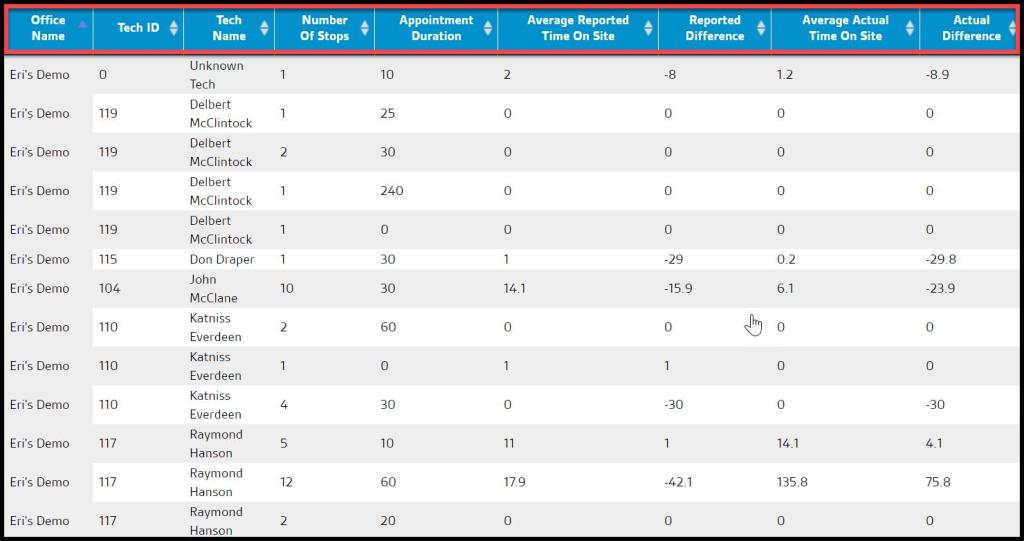
There are several data columns in the Average Time On Site By Tech Report.
- Office Name: Displays the name of the office that the technician belongs to.
- Tech ID: Displays the technician ID set up in the tech’s user card.
- Tech Name: Displays the name of the technician.
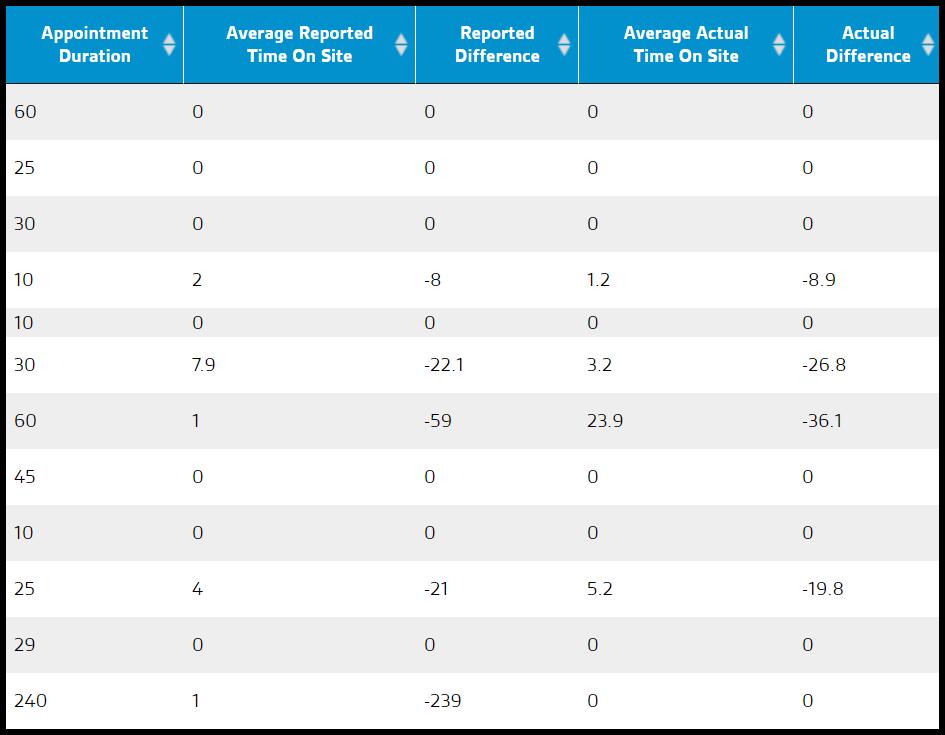
- Appointment Duration: Shows the duration of the appointment that is established on the appointment card.
- Number of Stops: Grouped by appointment duration.
- Average Reported Time: Displays the time on site reported by the technician.
- Reported Difference: Displays the difference between the Appointment Duration and Average Reported Time.
- Average Actual Time On Site: Shows the time recorded by the technician using check in and check out or check in and marking the service as completed.
- Actual Difference: Displays the difference between the Appointment Duration and Average Actual Time.
What is the difference between the reported time versus the actual time?
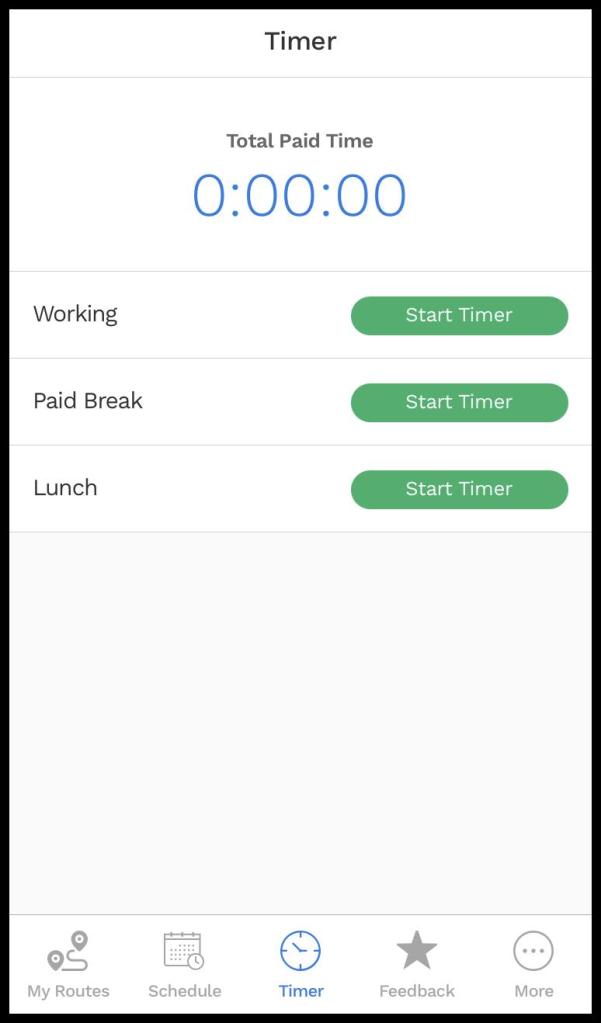
In the mobile application, the technician can manually record the time checked in and out for the appointment and this time is reported on the customer’s Service Notification.
What is the difference between the reported time versus the actual time? (Continued)
Customers value service based on how long a technician is at the location, so the applications will allow the technicians to manipulate the time check-in and out to improve the customer’s perception of the service.
The system calculates the actual time on site when the technician checks in and out of the appointment. The technician cannot change this time at all, and this time is for internal use only. The purpose of tracking this time is to see if there are any major discrepancies between the average time the technician records and the actual time recorded.
 Moxie Pest Control Office Guide