
Auto Schedule
Summary
Auto Schedule is a tool that can automatically generate many scheduled appointments for customers with specific scheduling concerns.
Important Points:
- Auto scheduling is best suited for commercial accounts that must adhere to a specific schedule.
- It is recommended to only auto-schedule a maximum of 3 appointments.
- Regenerating deletes existing auto-scheduled appointments and makes new ones based on the subscription’s current selected options.
Enabling Auto Schedule
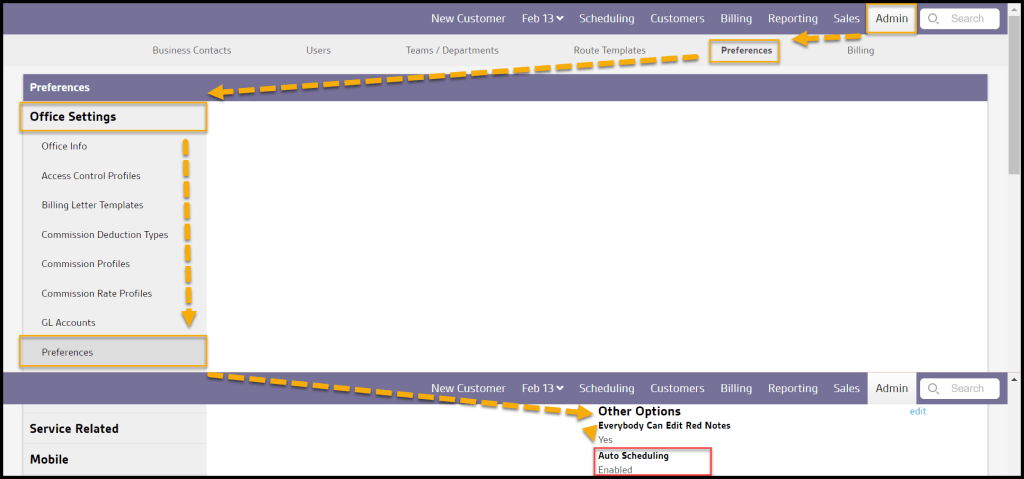
To enable Auto Schedule customers, navigate to Admin > Preferences > Preferences > Other Options.
AutoSchedule on the Customer Card
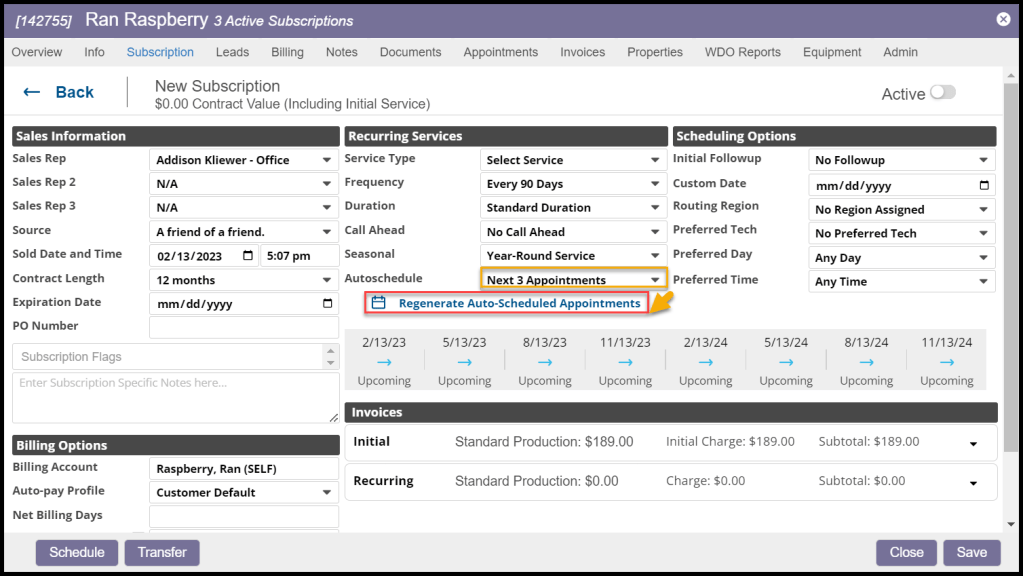
Once the preference to Auto Schedule is enabled, the option will be found in the Subscription tab of the customer card under the Recurring Services section.
By default, it will list the Due Date Method. The frequency choices are based on what is set in Admin > Preferences > Service Related > Frequency Options.
Auto-scheduled appointments will not begin generating until after the initial appointment has been scheduled.

Regenerating AutoScheduled Appointments
When the initial appointment has been scheduled, the user can click on Regenerate AutoScheduled Appointments to create the future appointments.
How Auto-Scheduled Appointments impact future appointments
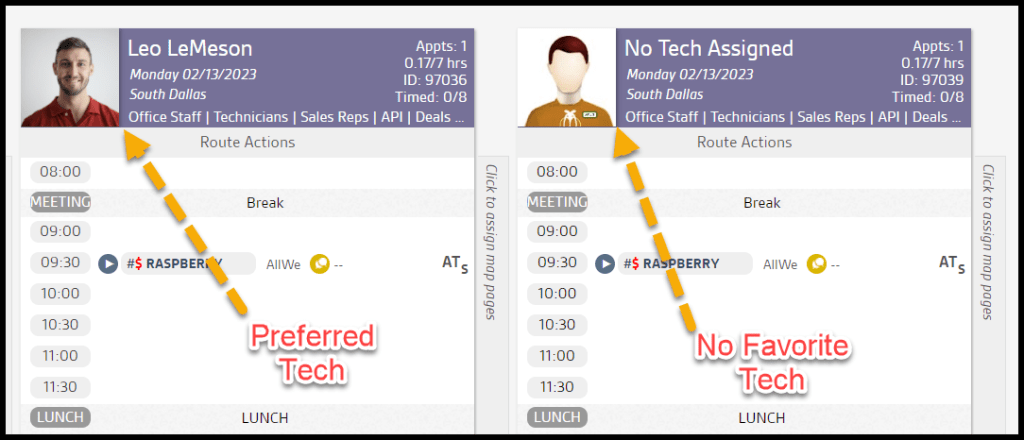
When scheduling future appointments, the software considers whether the customer has a Preferred Tech.
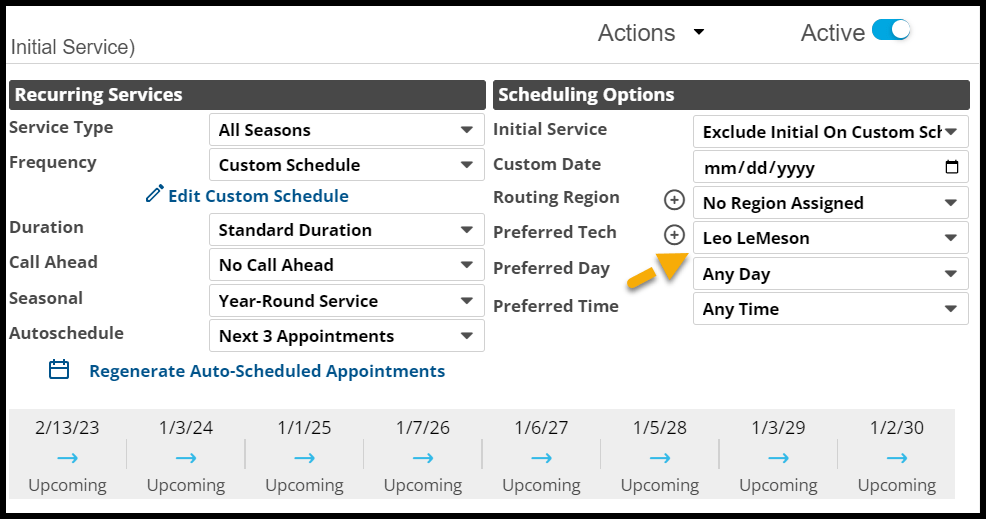
If no future route exists for their Preferred Tech, one will be created. If the customer does not have a Preferred Tech, then an unassigned route will be generated.
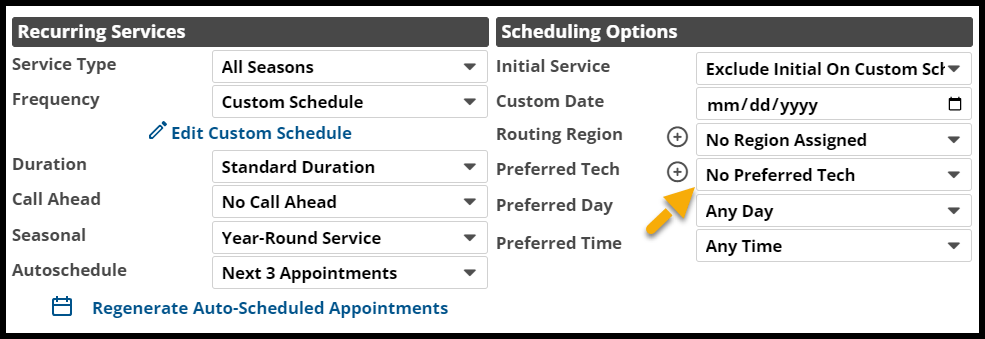
NOTE:
Suppose a technician happens to have multiple routes in different route groups. The system will schedule the next auto-scheduled appointment in the same route group as the last completed appointment.
 Moxie Pest Control Office Guide