
Appointment Cancellation Reasons
Summary
By creating Reasons for canceled appointments, the user can track why customers are often canceling their appointment. This guide explains how to use this preference to create Appointment Cancellation Reasons.
Important Points:
- These Appointment Cancellation Reasons are used when canceling an appointment.
- To disable Appointment Cancellation Reasons, set the visibility to all reasons as hidden.
Accessing the Appointment Cancellation Reasons
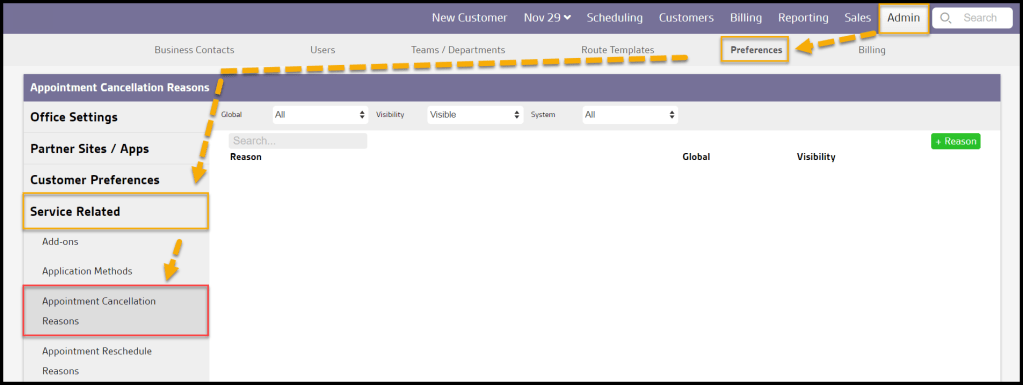
To access the Appointment Cancellation Reasons, go to:
Admin > Preferences > Service Related > Appointment Cancellation Reasons.
Filtering the Appointment Cancellation Reasons
To filter the Appointment Cancellation Reasons, toggle these filters.
- Global
- All: Display all Appointment Cancellation Reasons.
- Specific to Office: Display only Appointment Cancellation Reasons flagged to be specific to the user’s office.
- Available to all offices: Display only Appointment Cancellation Reasons flagged as open to all offices.
- Visibility
- All: Show all Appointment Cancellation Reasons.
- Visible: Show only visible Appointment Cancellation Reasons.
- Hidden: Show only hidden Appointment Cancellation Reasons.
- System
- All: Display All Appointment Cancellation Reasons.
- Yes: Display only Appointment Cancellation Reasons that are system Appointment Cancellation Reasons.
- No: Display only Appointment Cancellation Reasons that are not system Appointment Cancellation Reasons.
The Appointment Cancellation Reasons will refresh after different filters are selected.

Adding/Editing an Appointment Cancellation Reason in Preferences (Continued)
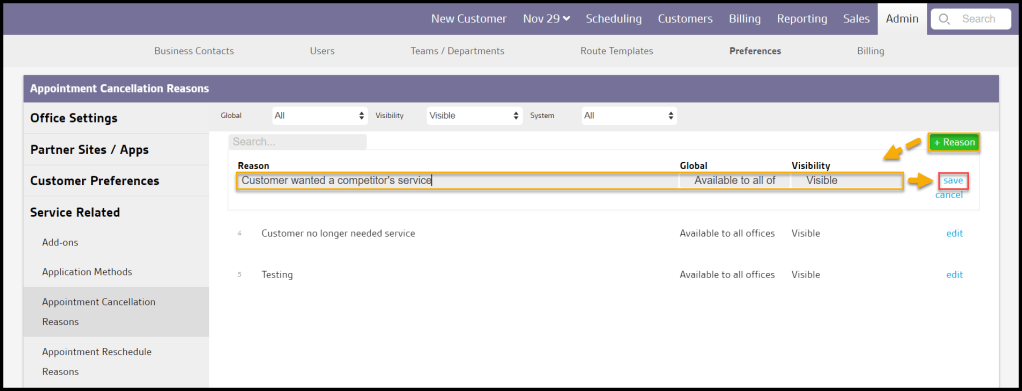
To add a new Appointment Cancellation Reason, select + Reason or select Edit to change an existing Appointment Cancellation Reason.
- Reason: Add or edit the reason why the customer canceled their appointment.
- Visibility: Set the visibility to either Visible or Hidden. Note that if a reason is hidden, it cannot be selected as an option presented when canceling a customer.
- Global: Set the visibility to be office-specific or global, which means all branches can see the new Appointment Cancellation Reason.
- System: Shows if the reason is system-defined. This cannot be edited.
Select Save when finished editing the Appointment Cancellation Reason.
Where are Appointment Cancellation Reasons used?
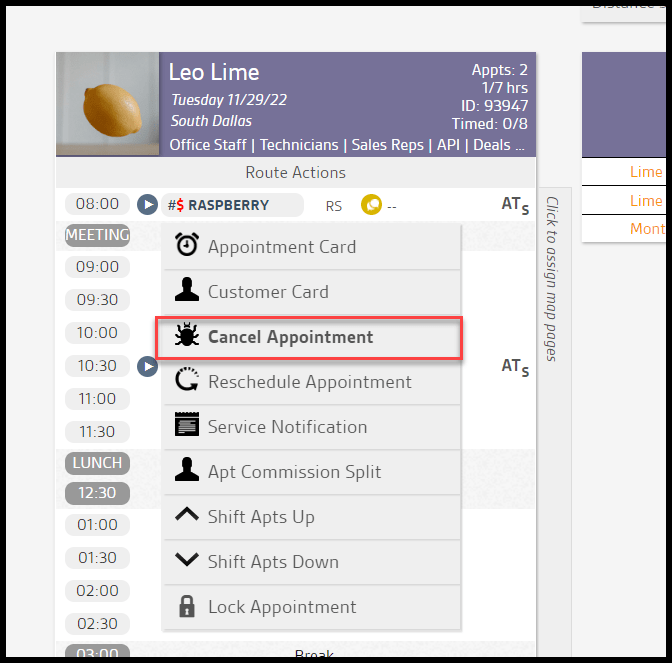
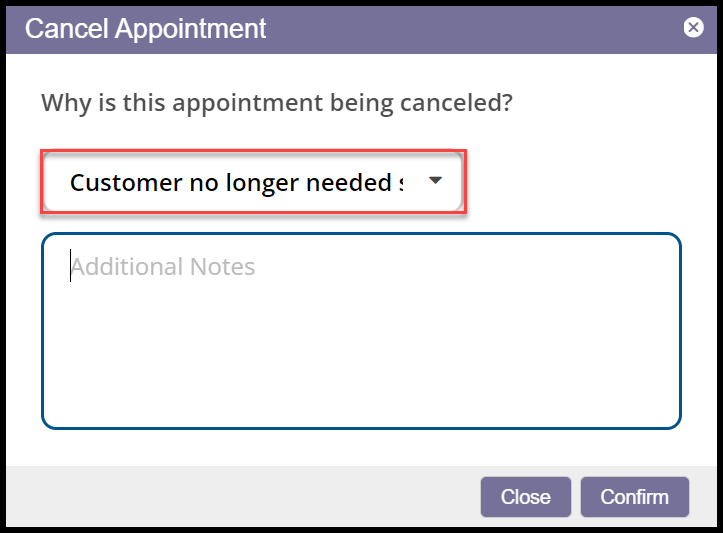
Appointment Cancellation Reasons are used when an appointment is canceled.
 Moxie Pest Control Office Guide